HighLevel vs Pipedrive for Vibe Coders: Funnel Builder or Pipeline King?
Choosing the right CRM isn’t just about managing contacts. For coders, SaaS founders, and vibe coders experimenting with automation, funnels, or freelance projects, your CRM can be the difference between scaling smoothly and drowning in spreadsheets.
Two of the most talked-about platforms in 2025 are HighLevel (GoHighLevel) and Pipedrive. Both claim to help you win more clients and keep business flowing, but they take radically different approaches. One is built to be an all-in-one funnel and automation machine, while the other focuses on being the cleanest, simplest pipeline tracker in the game.
So, which is right for you? Let’s break it down.
Quick Comparison Snapshot
| Feature | HighLevel | Pipedrive |
|---|---|---|
| Core Focus | Funnels, websites, automation, multi-channel follow-up | Sales pipelines, simple deal management |
| Pricing | From $97/mo (flat, unlimited users/contacts) | From ~$14.90/user/mo |
| AI Tools | AI receptionist, AI chatbot, AI funnel builder | AI Sales Assistant for prioritization & deal tips |
| Integrations | Limited on lower plans; API access at $497/mo+ | Strong API + marketplace with 400+ integrations |
| Best Fit | Agencies, freelancers, SaaS resellers | Freelancers, SaaS founders, lean sales teams |
Our Favorite CRM: Try GoHighLevel Risk Free
HighLevel: The Funnel Builder for Coders
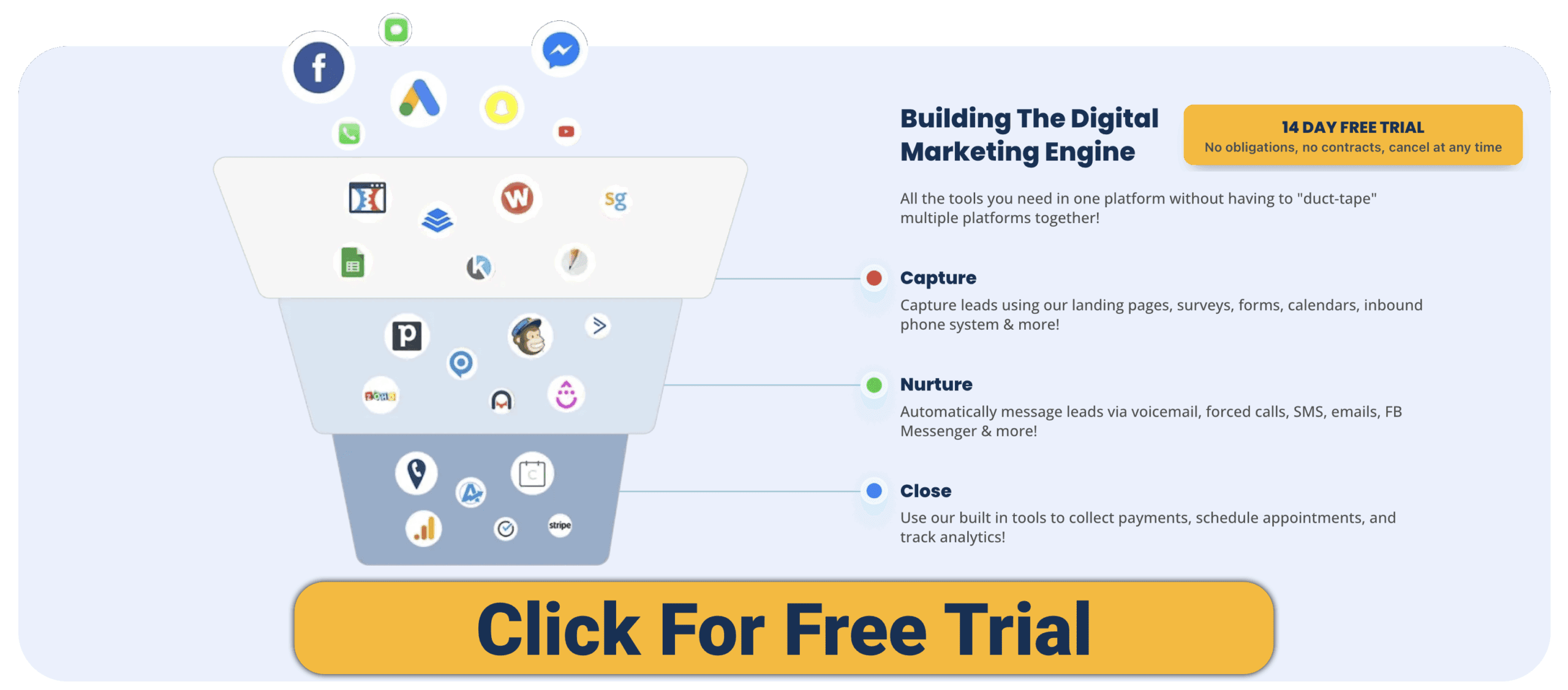
HighLevel positions itself as an all-in-one growth platform. Instead of buying separate tools for email marketing, funnels, appointment booking, SMS reminders, or membership sites, you get it all under one roof.
-
Funnel & Website Builder – Drag-and-drop builder for landing pages, full websites, and lead funnels.
-
Unified Inbox – Manage SMS, email, Facebook Messenger, Instagram DMs, and web chat in one dashboard.
-
Automations – Sophisticated workflows for follow-ups and client nurturing.
-
AI Agents – An AI receptionist to answer calls, AI chatbots for client questions, and even AI-assisted funnel generation.
-
White-Label SaaS Mode – Unique to HighLevel, coders and agencies can rebrand and resell the platform as their own CRM.
For vibe coders, HighLevel shines if you’re building client-facing systems—whether that’s running an agency, testing MVP funnels, or productizing your services.
Pipedrive: The Pipeline King for Developers
Pipedrive keeps things lean and laser-focused on sales pipeline management. Its kanban-style interface makes it easy to see where every deal is in your process.
-
Pipeline View – Visual kanban boards to track deals from lead to close.
-
AI Sales Assistant – Recommends which deals to prioritize and provides insights.
-
Calendar & Email Sync – Integrated scheduler and email tracking.
-
Marketplace & API – Over 400 third-party integrations and a robust open API for coders who want to extend functionality.
-
Mobile App – Lightweight and intuitive, designed for teams on the go.
For coders, Pipedrive’s openness is a huge win. You can easily connect it to your dev tools, build custom automations with APIs, and keep your CRM clean without being buried under “all-in-one” bloat.
Pros & Cons
HighLevel Pros
-
Replaces multiple tools (funnels, SMS, email, booking, courses).
-
Unlimited contacts and funnels.
-
White-label mode = create your own SaaS product.
-
Practical AI agents for calls and chat.
-
Flat pricing (not per user).
HighLevel Cons
-
Steeper learning curve for beginners.
-
Limited integrations unless you’re on higher tiers.
-
Features may lack polish compared to specialist tools.
Pipedrive Pros
-
Intuitive, easy to learn, and fast to set up.
-
Affordable entry-level plans.
-
API and marketplace are coder-friendly.
-
AI Sales Assistant is helpful for freelancers prioritizing work.
-
Lightweight and non-overwhelming.
Pipedrive Cons
-
No free tier (just a 14-day trial).
-
Limited marketing automation compared to HighLevel.
-
Email sync/automation often locked to higher plans.
-
Not built for funnels or content hosting.
Use Cases for Vibe Coders
-
Solo Freelancers – Pipedrive helps track proposals, freelance gigs, and client leads without extra clutter.
-
SaaS Founders – HighLevel is great for spinning up landing pages and funnels quickly; Pipedrive is better if you already have dev workflows and just need sales tracking.
-
Agencies or Consultants – HighLevel’s white-label SaaS mode creates recurring revenue opportunities.
-
Coders Who Automate – Pipedrive’s open API is perfect for custom workflows. HighLevel appeals if you want pre-built automations without writing code.
What Coders Say
-
HighLevel: Agencies love it for consolidating multiple tools; developers note the power but mention a steeper learning curve and fewer integrations.
-
Pipedrive: Praised for being clean, API-friendly, and great for sales tracking. Criticized for lacking built-in marketing automation.
Our Favorite CRM: Try GoHighLevel Risk Free
FAQs
Which CRM is more coder-friendly?
Pipedrive, thanks to its open API and integrations.
Which has stronger AI?
HighLevel uses AI for customer-facing tools (chatbots, receptionists), while Pipedrive uses AI for internal deal insights.
Can I resell HighLevel as my own SaaS?
Yes, with its white-label option—popular among coder-founders who want to launch SaaS without building from scratch.
Is Pipedrive enough for marketing automation?
Not really. Pair it with tools like Zapier, ActiveCampaign, or custom scripts for deeper automation.
Final Verdict
-
Choose HighLevel if you want an all-in-one funnel builder and automation platform, or if you’re a coder who sees value in reselling it as your own SaaS.
-
Choose Pipedrive if you’re a developer, freelancer, or SaaS founder who wants a simple, API-friendly pipeline manager that integrates into your existing stack.
Bottom line: HighLevel is the Funnel Builder; Pipedrive is the Pipeline King. Your choice comes down to whether you want breadth of features under one roof, or lean sales tracking you can extend with your own coding chops.
Want to see more comparisons? Check out our other posts on CRMs!
Download Your FREE
CRM Guidebook

Build, automate, and launch faster—see the CRMs Entrepreneurs and Agencies are switching to.
- ✅ Compare 9 top CRMs with pros, cons, and pricing all in one place
- ✅ Printable checklist & scorecard to find your perfect CRM
- ✅ Covers automation, follow-ups, reporting, integrations, and more
- ✅ Built for real businesses: solo founders, agencies, creators, and coders who want to scale