HighLevel vs HubSpot: Which CRM is Best for Your Business
TL;DR: HighLevel and HubSpot solve the same problem in opposite ways. HighLevel is a flat-rate, all-in-one platform: every plan ($97, $297, or $497/mo in 2026) includes the complete feature set with unlimited contacts and unlimited users. HubSpot has a genuinely free CRM, but the price climbs fast the moment you need automation — and it climbs through a stack of small charges: per-seat fees, a separate “marketing contacts” meter, AI credits, and mandatory onboarding fees. HubSpot Marketing Hub Professional starts at $890/mo plus a one-time $3,000 onboarding fee — roughly a 44× jump from its Starter tier.
Bottom line: Pick HighLevel if you want predictable, all-in-one pricing — especially as an agency, freelancer, or local business. Pick HubSpot if you want the free CRM to start and have budget for inbound marketing as you scale into the paid tiers.
Choosing the right CRM can feel overwhelming, and the two platforms developers and agencies ask about most are HighLevel (GoHighLevel) and HubSpot. Both centralize your customer data and automate sales and marketing — but they take very different approaches, and the better choice depends on your goals, technical comfort, and (especially) your budget. This guide breaks down their features, real 2026 pricing, pros, cons, and ideal use cases so you can decide. If you want the wider field, see our full CRM comparison guide.
HighLevel vs HubSpot at a glance
| Feature | HighLevel | HubSpot |
|---|---|---|
| Starts at | $97/mo (all features, flat rate) | $0 free CRM; $15/seat/mo Starter; $890/mo for Marketing Pro |
| Pricing model | Flat monthly rate + transparent usage (SMS/email/calls) | Per seat + per marketing contact + AI credits + onboarding fees |
| Users / contacts | Unlimited users & contacts on every plan | Unlimited free CRM users; paid seats & metered contacts on paid tiers |
| Onboarding fee | None | $1,500–$7,000 one-time on Pro/Enterprise hubs |
| Target audience | Agencies, marketers, freelancers, local businesses | SMBs to enterprises with inbound marketing teams |
| Key strength | All-in-one funnels, SMS, calls, websites, white-label SaaS | Polished inbound marketing & sales with deep integrations |
| White label / resell | Yes — resell as your own SaaS (Agency Pro) | No |
| Free plan | 14-day trial (30 days via some partners) | Robust free CRM (up to 1M contacts) |
How much do HighLevel and HubSpot actually cost in 2026?
This is where the two platforms split hardest. HighLevel charges one flat rate and gives you everything. HubSpot has a free entry point but meters almost every dimension of usage once you go paid.
HighLevel pricing (2026)
HighLevel keeps it simple: three tiers, and all three include the full feature set. You’re not paying to unlock CRM, funnels, or automation — those come standard. The plan you pick depends on how many client sub-accounts you manage and whether you want to resell the platform.
| Plan | Price (monthly / annual) | Best for |
|---|---|---|
| Starter | $97/mo (~$81/mo annual) | Solo operators & new agencies — up to 3 sub-accounts |
| Unlimited | $297/mo (~$248/mo annual) | Agencies — unlimited sub-accounts, white-label desktop, API access |
| Agency / SaaS Pro | $497/mo (~$414/mo annual) | Reselling the platform as your own SaaS with rebilling & markup |
Every plan includes unlimited contacts and unlimited users. The one thing to budget for is usage-based messaging: SMS (~$0.0079/segment), email (~$0.675 per 1,000 sends), and calls (~$0.014/min) are billed on top, plus optional AI Employee at $97/mo per sub-account. These are pass-through costs (Twilio/Mailgun) and typically add roughly $20–$150/mo depending on volume — predictable, and on the Unlimited and Pro plans you can rebill them to clients.
HubSpot pricing (2026)
HubSpot’s free CRM is genuinely free for unlimited users and up to 1 million contacts — that’s a real strength worth taking seriously. The complexity (and the cost) starts when you need automation, want to remove HubSpot branding, or grow your contact list.
| Plan | Price | What you get |
|---|---|---|
| Free CRM | $0 | Contacts, deals, forms, live chat, basic email (with HubSpot branding) |
| Starter Customer Platform | $15/seat/mo annual ($20 month-to-month) | Removes branding, basic automation, ~1,000 marketing contacts |
| Marketing Hub Professional | $890/mo (3 seats) + $3,000 onboarding | Full automation, custom reporting, 2,000 marketing contacts |
| Professional Customer Platform | ~$1,300/mo (5–6 seats) | Marketing + Sales + Service + Content + Data at Pro tier |
| Enterprise Customer Platform | ~$4,300/mo (7 seats) | Custom objects, advanced permissions, AI at scale |
Notice the gap between the $15 Starter seat and the $890/mo Marketing Pro tier. That jump — roughly 44× — is what most people are really weighing when they research HubSpot pricing. The free and Starter tiers capture your data cheaply; the automation, reporting, and AI features that growing teams actually need all sit above that cliff.
Why does HubSpot get so expensive?
Here’s the part the pricing page doesn’t make obvious: HubSpot’s listed price is the menu, not the bill. A “$890/mo” Marketing Hub Professional license routinely lands at $2,000+/mo in practice once you add the things you’ll inevitably need. The cost compounds through several separate meters that each look small on their own:
- Per-seat charges. Above Starter, you pay per user. Extra core seats run ~$45–$50/mo each on Professional and ~$75/mo on Enterprise; full Sales or Service seats are ~$90–$100/mo (Pro) and ~$150/mo (Enterprise). A seven-person marketing team can add ~$180/mo on top of the base plan before anyone sends a single email.
- The marketing-contacts meter. Only contacts you actively market to count toward your limit — but when you cross it, the bill steps up. Overages start around $50 per additional 1,000 contacts on Starter and ~$250 per 5,000 on Professional; at Enterprise, each extra 10,000 contacts is roughly $1,000/mo. Your bill grows as your list grows.
- AI “credits.” HubSpot’s AI features run on a credit system — 500 credits on Starter, 3,000 on Professional, 5,000 on Enterprise. Run out and you buy more at about $10 per 1,000 credits. It’s another usage dial layered on top of seats and contacts.
- Mandatory onboarding fees. Professional and Enterprise plans carry one-time setup fees you can’t skip: $3,000 for Marketing Hub Professional, $7,000 for Marketing Hub Enterprise, and $1,500–$3,500 on Sales and Service hubs. A 5-person team on Marketing Pro is looking at roughly $13,680 in year one once onboarding is included.
- Annual lock-in. Every tier above Starter requires an annual commitment. Annual prepay shaves about 10% off, but you’re committing for the year.
- Feature gating. Even removing HubSpot’s branding from your emails and forms requires a paid tier. Many of the features that make people want HubSpot are intentionally placed above the cliff.
None of this is hidden, exactly — it’s all documented. But it’s why HubSpot estimates for a 20,000-contact setup with CRM + Marketing + Sales Pro commonly land in the $3,000–$7,000/mo range. The “lots of tiny things” really do add up.
Is HighLevel really cheaper than HubSpot?
For most agencies, freelancers, and small businesses, yes — meaningfully so. HighLevel’s $297/mo Unlimited plan replaces what most teams cobble together from five to seven separate tools (CRM, funnel builder, email, SMS, scheduling, reputation management, social planner), and it does it at a flat rate with unlimited users and contacts. Independent breakdowns put the savings at 60–80% versus an equivalent multi-tool stack.
To be fair to HubSpot, two things are true:
- HighLevel has usage costs too. SMS, email, calls, and AI are billed on top of the base plan. These are transparent pass-through fees, but if you send high message volume they’re real money — budget $20–$150/mo for typical usage.
- HubSpot’s free CRM can genuinely win. If you only need contact management, deal pipelines, and basic email — and you don’t mind HubSpot branding — $0 beats $97. The math flips the moment you need automation, branding removal, or serious marketing.
The honest summary: HighLevel is cheaper and far more predictable for service businesses and agencies; HubSpot’s free tier is the better deal only if you stay on it.
What does each platform include?
HighLevel features
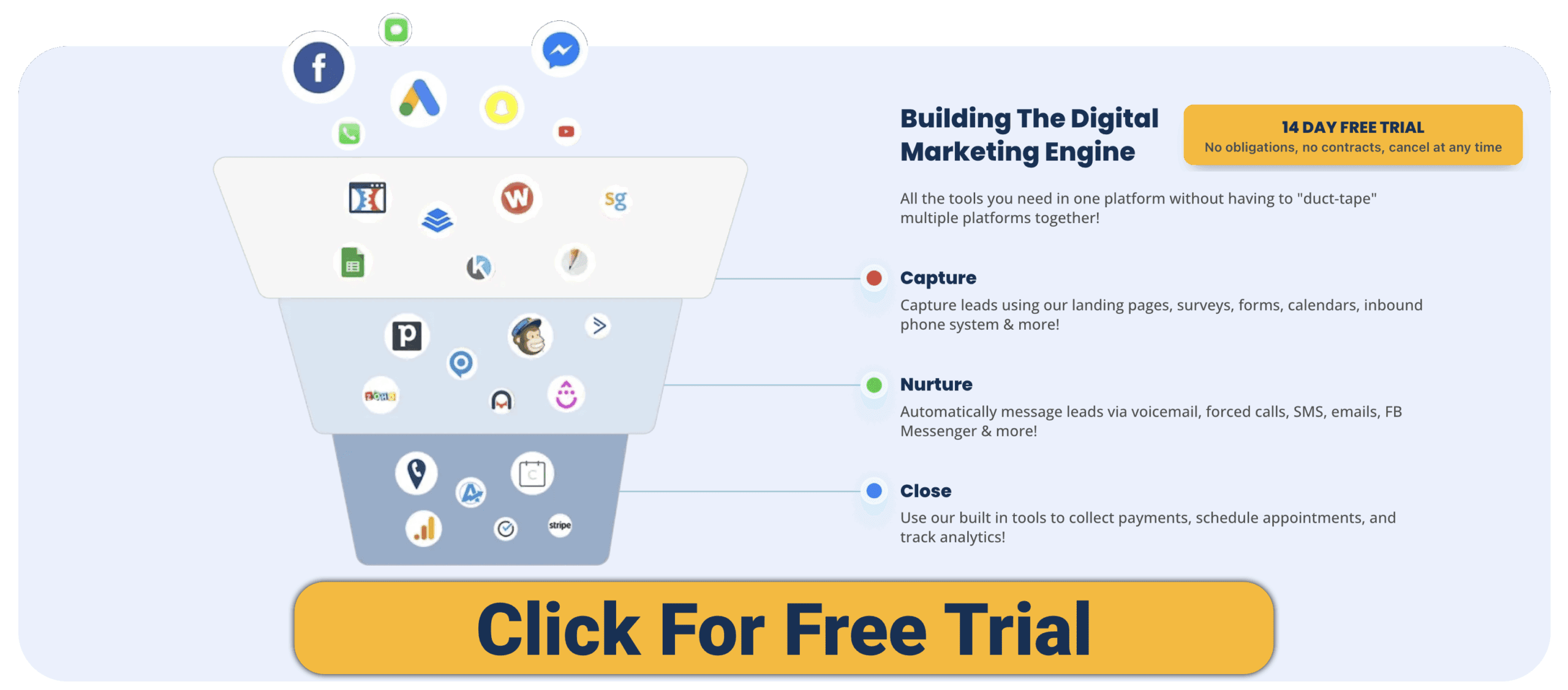
- All-in-one toolkit: funnels, websites, forms, surveys, calendars, SMS, voicemail drops, and email marketing.
- Unified inbox: centralizes email, SMS, Facebook Messenger, Instagram DMs, and web chat.
- Automations: sophisticated multi-channel follow-up workflows.
- AI agents: a voice receptionist that books appointments, a chatbot for FAQs, and an AI website/funnel builder.
- White-label SaaS mode: agencies can resell the platform under their own brand (see our roundup of white-label software examples).
- Memberships: host courses or gated content.
HubSpot features
- Free CRM: contact management, deal pipelines, task management.
- Marketing Hub: email marketing, landing pages, forms, ad management.
- Sales Hub: meeting scheduler, email tracking, built-in dialer.
- Service Hub: ticketing, knowledge base, live chat & chatbot.
- Content Hub: blogging and SEO tools with an integrated website builder.
- App Marketplace: hundreds of integrations with third-party tools.
- AI assistant: email drafts, chatbots, and reporting insights.
HighLevel vs HubSpot: pros and cons
HighLevel pros
- All-in-one — replaces 5–7 separate tools.
- Unlimited funnels, websites, contacts, and users.
- White-label option for agencies and resellers.
- Flat pricing instead of per-contact or per-seat models.
- AI agents for calls, chat, and funnel building.
HighLevel cons
- Steeper learning curve for beginners.
- Fewer native integrations (API access starts on the Unlimited plan).
- Generalist approach — some features lack the polish of dedicated tools.
- Usage-based SMS/email/AI costs sit on top of the base plan.
HubSpot pros
- Genuinely free CRM (up to 1M contacts, unlimited users).
- Clean, intuitive UI with excellent onboarding.
- Seamless integration across marketing, sales, and support.
- Huge marketplace, community, and HubSpot Academy.
- Best-in-class inbound marketing once you’re on the paid tiers.
HubSpot cons
- Costs compound fast — seats, contacts, AI credits, and onboarding all bill at once.
- Roughly 44× price jump from Starter to Marketing Professional.
- Mandatory onboarding fees ($1,500–$7,000) in year one.
- Advanced automation and branding removal are gated behind paid tiers.
- Annual commitment required above Starter.
Who should choose HighLevel?
- Agencies & consultants: manage multiple clients and resell a white-labeled CRM.
- Local businesses: need SMS/email reminders, review requests, and fast follow-ups.
- Freelancers & solopreneurs: want funnels, websites, and CRM in one place without paying for multiple tools.
Who should choose HubSpot?
- Startups: begin on the free CRM and scale into advanced hubs over time.
- SaaS companies: need inbound marketing, content, and support tools tied together.
- SMBs with sales teams and budget: benefit from HubSpot’s polished pipeline management and reporting — and can absorb the metered costs.
Frequently asked questions
Is HighLevel a replacement for HubSpot?
Mostly, yes — for service businesses and agencies. HighLevel replaces many tools at once (funnels, email, SMS, booking, websites) at a flat rate. HubSpot focuses on best-in-class inbound marketing and sales alignment. If marketing is your growth engine and you have budget, HubSpot’s depth is hard to match; for everyone else, HighLevel covers the same jobs for less.
Is HubSpot really free?
Yes. HubSpot’s CRM is free forever for unlimited users and up to 1 million contacts, including contact records, deal pipelines, forms, live chat, and basic email. You only start paying when you need automation, want to remove HubSpot branding, or pass your marketing-contact allowance.
Why is HubSpot so expensive?
Because the cost is metered across several dimensions at once: paid seats, marketing contacts, AI credits, and one-time onboarding fees, all stacked on top of the base tier. A listed $890/mo Marketing Pro plan often becomes $2,000+/mo in practice once seats and contact tiers are added.
Does HighLevel charge per user?
No. Every HighLevel plan includes unlimited users and unlimited contacts. You pay a flat monthly rate, plus transparent usage-based fees for SMS, email, and calls.
Which is more affordable?
HighLevel for most agencies and small businesses — flat $97–$497/mo with no per-seat or per-contact charges. HubSpot is cheaper only if you stay on its free or Starter tier; its Professional pricing escalates into the hundreds or thousands per month.
Which has better AI?
They aim at different jobs. HighLevel leans into practical, customer-facing AI agents (chatbots, voice receptionists). HubSpot uses AI for content drafting, insights, and reporting — powered by a metered credit system.
Which is easier to use?
HubSpot wins on polish and beginner-friendliness. HighLevel packs more features into the dashboard up front, which can feel overwhelming at first but pays off once configured.
Can I migrate from one to the other?
Yes. HubSpot offers paid migration services; HighLevel provides tutorials and community support for importing contacts and funnels. The bigger consideration is data gravity — the longer your team lives in a platform, the costlier the switch.
Final verdict
- Choose HighLevel if you want an all-in-one growth machine with funnels, SMS, and white-label options at a predictable flat rate — especially as an agency, freelancer, or local business that needs to manage clients without watching the meter.
- Choose HubSpot if you want to start on a genuinely free CRM, value polished inbound marketing and deep integrations, and have the budget to scale into its paid tiers as your contact list and team grow.
Both platforms can help you scale. The real question is whether you value breadth of features at a flat rate (HighLevel) or depth of polish and integrations, paid for by the seat and the contact (HubSpot).
Methodology & sources: Pricing verified against GoHighLevel’s and HubSpot’s official 2026 pricing pages and independent pricing breakdowns, current as of June 2026. Figures are list prices in USD and exclude promotional discounts; usage-based and onboarding costs vary by configuration. We update this comparison when either platform changes its pricing.
Want to see more comparisons? Check out our other CRM posts:
- The Complete CRM Comparison Guide (9 platforms)
- HighLevel vs Pipedrive
- HighLevel vs Salesforce
- HighLevel vs Zoho
- HighLevel vs WordPress
- HighLevel vs ClickFunnels
- HighLevel vs Skool
- HighLevel vs Kajabi
Download Your FREE
CRM Guidebook
Build, automate, and launch faster—see the CRMs Entrepreneurs and Agencies are switching to.
- ✅ Compare 9 top CRMs with pros, cons, and pricing all in one place
- ✅ Printable checklist & scorecard to find your perfect CRM
- ✅ Covers automation, follow-ups, reporting, integrations, and more
- ✅ Built for real businesses: solo founders, agencies, creators, and coders who want to scale