Should You Run OpenClaw on Your Own Machine — or One You Don’t Own?
When people ask whether they should install OpenClaw locally or on a remote server, they’re usually thinking about cost or convenience.
But that’s not the real question.
The real question is:
If something goes wrong, how much of your life does it touch?
That’s what this decision is actually about — control, isolation, and blast radius.
Let’s break it down clearly.
First: What Does OpenClaw Actually Do?
Before we compare environments, we need to understand capability.
Depending on your setup, OpenClaw may:
-
Execute shell commands
-
Write and modify files
-
Store API keys (OpenAI, Stripe, Meta, etc.)
-
Receive webhooks from external services
-
Run continuously in the background
-
Integrate with Git repos
-
Process user input
That means it isn’t just a dashboard.
It’s an automation surface.
And anything that can execute logic, store secrets, or interact with external systems deserves thoughtful placement.
Option 1: Running OpenClaw on Your Own Machine
This usually means:
-
Your laptop
-
Your desktop
-
A home server
-
A NAS
-
A local Docker setup
✅ Advantages
1. Full Physical Control
You own the hardware.
You control the disk.
You control the network.
No third-party provider involved.
2. No Hosting Cost
No monthly bill.
No droplet to manage.
3. Fast Local Development
Lower latency.
Easy debugging.
Quick iteration.
4. Not Publicly Exposed (If LAN-Only)
If you don’t port-forward, it stays internal.
That’s a very strong security baseline.
❌ Risks
Here’s where it gets real.
If OpenClaw runs on your primary machine, it may have access to:
-
~/.sshkeys -
Browser cookies
-
Saved sessions
-
Local databases
-
Git repos
-
Mounted NAS drives
-
Terminal history
-
Environment files with API keys
-
Your entire home directory
Even if you didn’t intend that.
Operating systems don’t naturally sandbox apps the way people assume.
If OpenClaw (or something interacting with it):
-
Executes unexpected code
-
Pulls a malicious plugin
-
Has a vulnerability exploited
-
Accepts unsafe user input
Then the compromise isn’t isolated to a “tool.”
It’s your actual machine.
The Key Concept: Blast Radius
Blast radius =
How much damage can occur if this thing is compromised?
Compare:
| Deployment | Blast Radius |
|---|---|
| Local workstation | Potentially your entire user environment |
| Dedicated home server | Everything on that server |
| Isolated VM in cloud | Only that VM |
| Container with limited mounts | Even smaller |
This is the architectural lens most people miss.
The question isn’t:
“Is cloud safer?”
It’s:
“How much can this tool touch?”
Option 2: Running OpenClaw on a Machine You Don’t Own (Cloud)
This could mean:
-
A DigitalOcean droplet
-
An AWS EC2 instance
-
A VPS
-
Any minimal remote Linux server
Let’s reframe something important:
You are not giving up control.
You are containing access.
✅ Advantages
1. Clean Environment
A fresh cloud VM has:
-
No smart TV
-
No NAS
-
No browser sessions
-
No personal SSH keys
-
No unrelated services
It’s minimal.
That’s powerful.
2. Reduced Blast Radius
If compromised:
-
You destroy the VM
-
Rotate keys
-
Rebuild
Your laptop?
Untouched.
Your Synology?
Untouched.
Your personal GitHub access?
Untouched.
Isolation is everything.
3. Stronger Network Controls
Cloud providers allow:
-
Firewall rules at provider level
-
Restricting SSH to your IP
-
Only exposing ports 80/443
-
Easy TLS via reverse proxy
Most home routers do not provide this level of control.
4. Designed to Be Internet-Facing
If OpenClaw:
-
Receives webhooks
-
Handles OAuth callbacks
-
Needs uptime
-
Is accessed remotely
Cloud infrastructure is built for that.
Home networks are not.
❌ Tradeoffs
This isn’t a magic solution.
-
It costs money
-
It requires configuration
-
It is publicly reachable
-
It will be scanned constantly
Cloud security failures are usually misconfiguration issues.
But those risks are typically more manageable than unrestricted local access.
The Real Security Question
Ask yourself:
What does OpenClaw need access to?
If it needs:
-
Production API keys
-
Payment integrations
-
Advertising tokens
-
Git credentials
-
Long-running background execution
-
External webhooks
Then isolation becomes extremely important.
If it’s:
-
Personal experimentation
-
Offline workflows
-
Development only
-
No stored secrets
Local may be perfectly reasonable.
A Common Mistake: Local + Port Forwarding
This is the worst of both worlds.
-
Public exposure
-
Consumer router
-
No provider-level firewall
-
Often no TLS
-
No monitoring
If you’re going to expose it publicly, do it properly — and cloud environments make that easier.
The Professional Model
In production environments, tools like OpenClaw are typically:
-
Containerized
-
Run as non-root user
-
Given minimal file system mounts
-
Provided scoped API keys
-
Firewalled tightly
-
Monitored
-
Backed up
This is easier to achieve cleanly in a dedicated remote VM than on your daily-use machine.
When You Should Run It Locally
-
Development and testing
-
No public exposure
-
No sensitive stored secrets
-
You fully understand Docker isolation
-
You control network segmentation
When You Should Run It on a Remote Server
-
Handling production API keys
-
Receiving webhooks
-
Interacting with money (Stripe, ads, etc.)
-
Multi-user access
-
Long-running automations
-
Anything business-critical
The Hybrid Model (Often the Best Choice)
Many experienced builders do this:
-
Develop locally
-
Deploy to cloud for production
-
Keep environments separate
-
Use different API keys per environment
-
Limit permissions aggressively
This gives speed and isolation.
Final Thought: It’s About Containment, Not Ownership
Running OpenClaw on a machine you don’t own isn’t about trust.
It’s about control.
When you run it locally, you are granting it implicit access to your world.
When you run it in a clean, isolated environment, you are choosing exactly what it can touch — and nothing more.
That difference is the entire conversation.
And once you think in terms of blast radius instead of convenience, the deployment decision becomes much clearer.
Download Your FREE
Dev Stack Starter Guide
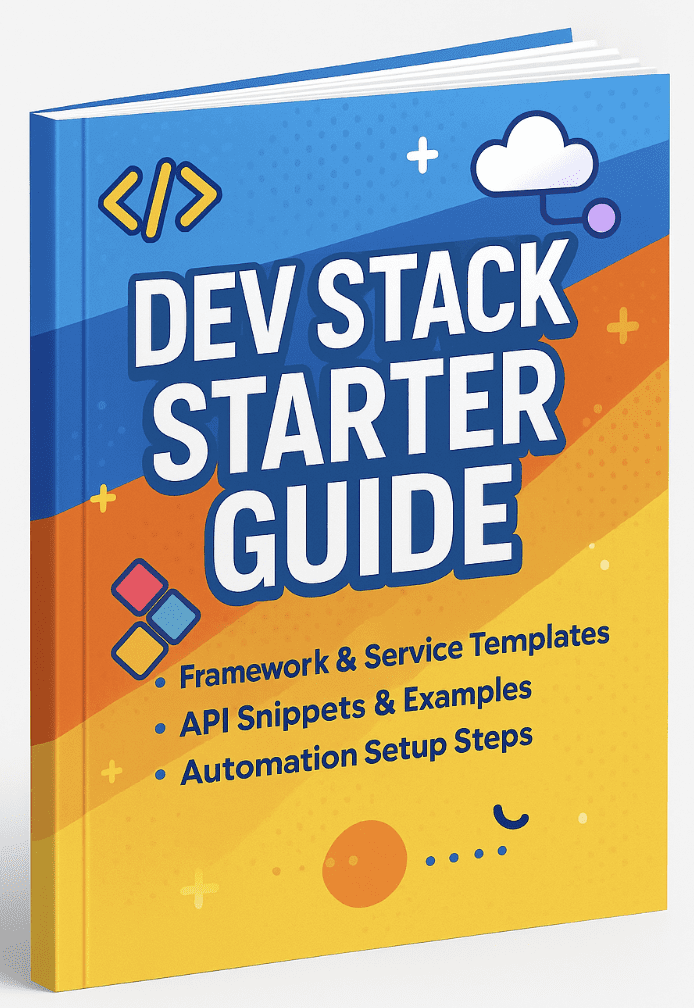
Build, automate, and launch faster—see the automation stack developers and agencies are switching to.
- ✅ API Templates & Code Snippets
- ✅ Done-for-You Automation Workflows
- ✅ Step-by-Step Funnel & CRM Guide
- ✅ Free for Developers, Freelancers, & SaaS Builders