Best Keyboard for Coding & Programming
If you write code for a living, your keyboard isn’t an accessory — it’s one of your most important tools.
Most developers will type millions of keystrokes per year, often in long, focused sessions. Yet many still use whatever keyboard came in the box or whatever was cheapest on Amazon. The result? Wrist pain, shoulder tension, fatigue, and in some cases real repetitive strain injuries.
The good news: the right keyboard can dramatically improve comfort, speed, accuracy, and even focus.
This guide breaks down exactly how to choose the best keyboard for coding based on real developer workflows — and the specific models that consistently perform well for programmers.
Whether you’re a web developer, software engineer, data engineer, or student learning to code, this will help you make a smart, future-proof choice.
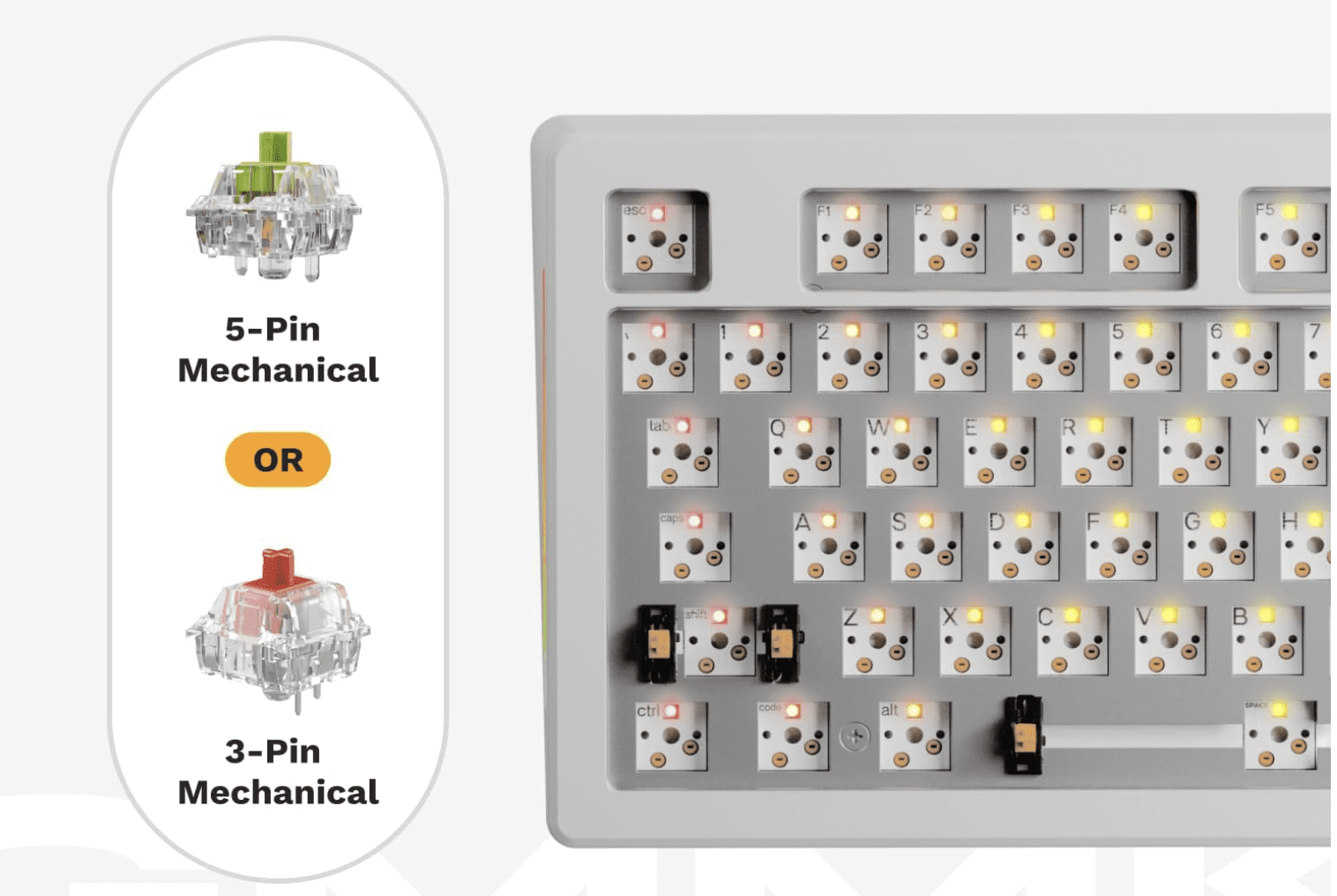
Click for my favorite keyboard
Who This Guide Is For
This article is written for:
-
Software engineers & web developers
-
Indie hackers & SaaS builders
-
Data engineers & analysts
-
Students learning to code
-
Anyone spending multiple hours per day typing in an IDE or terminal
If you code regularly, this applies to you.
Why Your Keyboard Matters More for Coding Than You Think
Coding is not casual typing.
You’re constantly using:
-
Symbols (
{ } [ ] ( ) ; : < >) -
Modifier keys (Cmd, Ctrl, Alt, Shift)
-
Navigation (arrows, home/end, page up/down)
-
Shortcuts and key combos
Over time, small ergonomic issues compound. A bad layout, poor key feel, or awkward wrist angle can lead to:
-
Wrist and forearm pain
-
Shoulder and neck tension
-
Slower typing and more errors
-
Fatigue that affects focus and productivity
Most developers don’t notice until something starts hurting. By then, it’s already a problem.
A good keyboard won’t magically fix everything — but the right layout, switches, and ergonomics can make a massive difference over months and years.
How to Choose the Right Keyboard for Coding
Instead of jumping straight to product recommendations, let’s break down the 5 factors that actually matter for programmers.
This is the framework you should use before buying anything.
1. Layout: Full, TKL, 75%, 60%, or Split?
Layout determines how much movement your hands and shoulders make all day. This matters more than most people realize.
Full-Size (100%)
Includes number pad. Good for:
-
Data-heavy work
-
Finance, spreadsheets, analytics
-
Some backend workflows
Downside: wider reach, more shoulder movement.
TKL (Tenkeyless) – 87 keys
No number pad. Very popular with developers.
Good balance of:
-
Compact size
-
Full navigation cluster
-
Minimal learning curve
75% Layout
Slightly more compact than TKL but keeps arrows + nav keys.
One of the best layouts for most programmers.
60% Layout
Very compact. No dedicated arrows or nav keys.
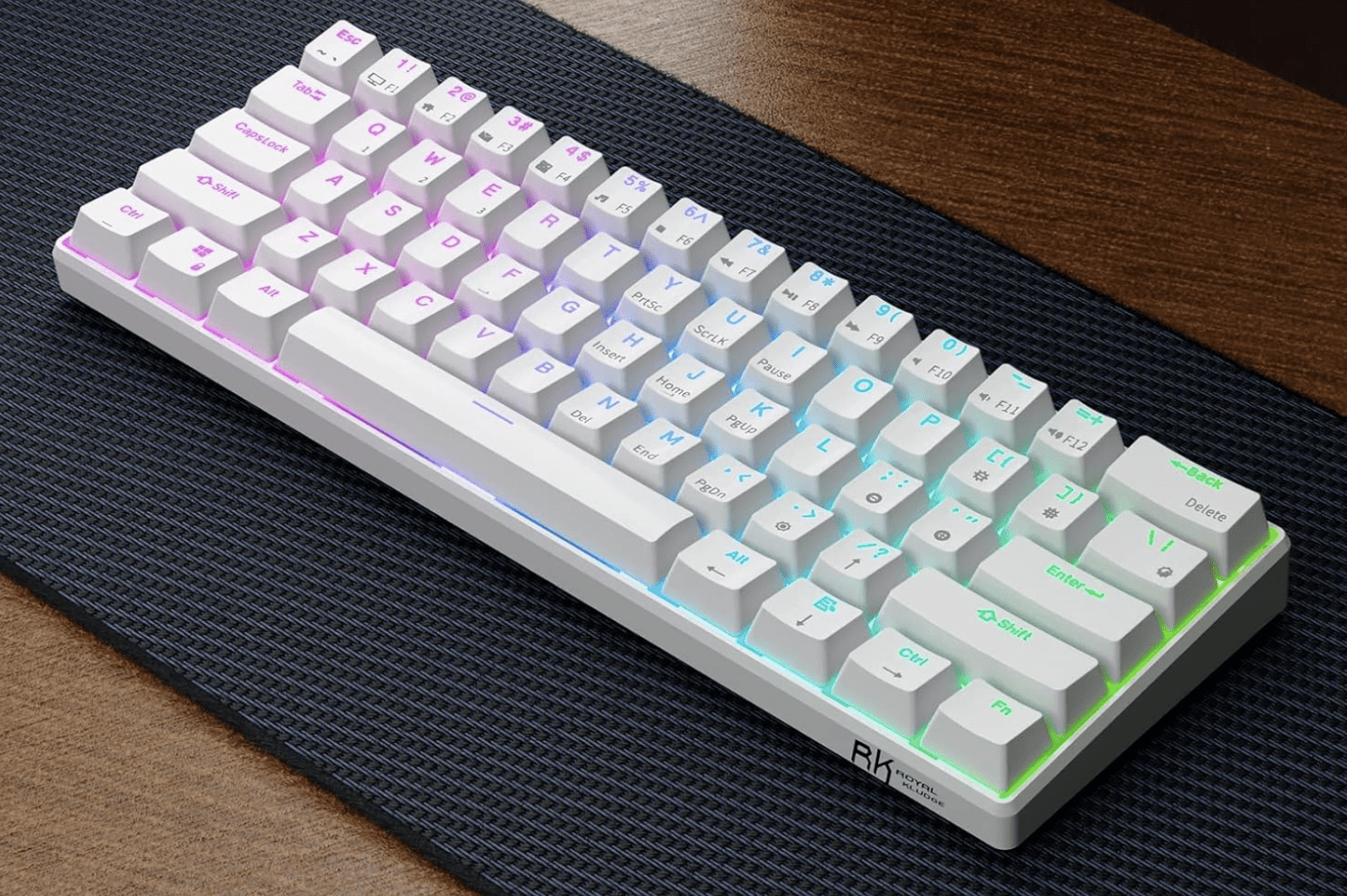
RK Royal Kludge RK61
Good for:
-
Minimalist setups
-
Vim users
-
Travel
Downside: heavy reliance on layers. Not ideal for everyone.
Split / Ergonomic Layouts
Two halves, often tented.
Good for:
-
Wrist pain
-
Shoulder issues
-
Long daily sessions
Downside: learning curve.
Rule of thumb:
If you use arrow keys, home/end, and page navigation a lot (most devs do), don’t go smaller than 75%.
2. Switch Type: Linear vs Tactile vs Clicky (In Coder Terms)
This is about feel and feedback, not gaming performance.
Tactile (e.g. Brown-style)
-
Small bump when key actuates
-
Great feedback for accuracy
-
Popular among developers
Linear (e.g. Red-style)
-
Smooth, no bump
-
Fast and quiet
-
Good for speed and low fatigue
Clicky (e.g. Blue-style)
-
Loud, clicky feedback
-
Generally not recommended for shared spaces
-
Can be fatiguing over long sessions
Most programmers prefer tactile or linear switches.
Clicky switches are fun, but not ideal for 8-hour workdays.
3. Key Feel & Fatigue: Low Profile vs Standard
Low-profile keyboards (like laptop-style keys) have:
-
Shorter travel
-
Less finger movement
-
Lower learning curve
Standard mechanical boards have:
-
Deeper travel
-
More tactile feedback
-
Often better long-term comfort for heavy typists
There is no universal “best” here — it depends on:
-
Your typing style
-
Hand size
-
Desk height
-
Whether you came from laptops or desktops
4. Programmability & Layers (Underrated for Coders)
This is huge and often ignored.
Keyboards that support QMK, VIA, or custom remapping let you:
-
Move symbols to easier positions
-
Create layers for navigation
-
Add macros for repetitive actions
-
Optimize layouts for your IDE
If you use:
-
Vim / Neovim
-
Heavy keyboard shortcuts
-
Custom workflows
Then programmability is a major advantage.
5. Ergonomics & Wrist Health
If you code 4–10 hours a day, this matters.
Key ergonomic factors:
-
Wrist angle
-
Shoulder width
-
Forearm rotation
-
Key reach
Split keyboards and tented designs reduce:
-
Ulnar deviation (bending wrists sideways)
-
Shoulder tension
-
Forearm strain
If you’ve ever had:
-
Wrist pain
-
Numbness
-
Tingling
-
Elbow issues
You should strongly consider an ergonomic layout.
Best Keyboards for Coding by Category
Now that you know what matters, here are proven, well-regarded options for different developer profiles.
These are grouped by use case, not just price.
Best All-Around Keyboard for Coding
Keychron K Pro Series (K8 Pro, K2 Pro, K3 Pro)
Who it’s for:
Developers who want one solid keyboard that works across Mac, Windows, and Linux without fuss.
Why it’s great for coding:
-
Excellent 75% / TKL layouts
-
Hot-swappable switches
-
QMK/VIA support for remapping
-
Clean, professional look (no gamer nonsense)
Pros:
-
Great typing feel out of the box
-
Wireless + wired options
-
Strong community support
Cons:
-
Slightly tall (may need a wrist rest)
-
Not split/ergonomic
Bottom line:
If you want a safe, high-quality choice that “just works” for programming, this is it.
Best Keyboard for Long Coding Sessions
Logitech MX Keys S
Who it’s for:
Developers who value comfort, low fatigue, and a laptop-like feel.
Why it’s great for coding:
-
Low-profile keys reduce finger travel
-
Excellent stability and spacing
-
Great for multi-device workflows
-
Quiet (ideal for calls and shared spaces)
Pros:
-
Extremely comfortable for long sessions
-
Wireless, multi-device pairing
-
Clean professional design
Cons:
-
Not mechanical
-
Limited programmability
Bottom line:
If you code all day and want maximum comfort with minimal learning curve, this is hard to beat.
Best Compact Keyboard for Developers
Keychron K6 / K3 (65% / 75%)
Who it’s for:
Developers with limited desk space or who travel.
Why it’s great for coding:
-
Keeps arrow keys (unlike many 60% boards)
-
Compact footprint
-
Solid build quality
Pros:
-
Portable
-
Good layout for IDE work
-
Affordable
Cons:
-
Smaller keys = adjustment period
-
Less ergonomic than larger boards
Bottom line:
A great option if you want compact without sacrificing usability.
Best Ergonomic Keyboard for Programmers
Kinesis Advantage2 / Advantage360
or
Moonlander / Ergodox EZ
Who it’s for:
Developers with wrist, elbow, or shoulder pain — or those who want to prevent it.
Why it’s great for coding:
-
Split layout reduces wrist angle
-
Tented design improves posture
-
Fully programmable
-
Designed for heavy typists
Pros:
-
Excellent ergonomics
-
Highly customizable
-
Long-term comfort
Cons:
-
Steep learning curve
-
Expensive
-
Looks weird (you’ll get comments)
Bottom line:
If you code for a living and plan to do it for years, this is an investment in your health.
Best Budget Keyboard for Coding
Royal Kludge (RK) Series – RK68, RK84, RK61
Who it’s for:
Students, early-career devs, or anyone on a budget.
Why it’s great for coding:
-
Mechanical feel at low price
-
Decent layouts
-
Hot-swap on many models
Pros:
-
Affordable
-
Surprisingly solid
-
Good starter boards
Cons:
-
Software is mediocre
-
Build quality not premium
Bottom line:
If you want mechanical without spending a lot, these punch above their weight.
What Developers and Reddit Consistently Say Matters
Across developer and keyboard communities, the same themes come up over and over:
-
Comfort beats aesthetics
-
Layout matters more than brand
-
Tactile or linear switches are preferred for work
-
Programmability is underrated
-
Ergonomics becomes important sooner than you think
Many developers report that once they switched to a better keyboard, they:
-
Made fewer typing errors
-
Felt less fatigue
-
Had less wrist or shoulder pain
-
Enjoyed coding more
That’s not marketing hype — it’s a real productivity and health factor.
Common Mistakes Developers Make When Buying a Keyboard
Avoid these:
1. Going Too Small Too Fast
Jumping straight to 60% can be frustrating if you rely on arrows and nav keys.
2. Buying Gaming Keyboards for Work
RGB and “speed” features don’t equal comfort or productivity.
3. Ignoring Ergonomics
Pain creeps up slowly. By the time it’s bad, it’s harder to fix.
4. Not Considering Desk Setup
Keyboard choice should match:
-
Desk height
-
Chair height
-
Monitor position
-
Arm angle
Quick Decision Guide
If you want a fast answer:
-
I code 6–10 hours/day and want comfort → Logitech MX Keys, ergonomic split keyboard
-
I want one great mechanical board → Keychron K Pro series
-
I use Vim and love minimalism → 60–65% board with layers
-
I have wrist/shoulder pain → Split ergonomic keyboard
-
I’m on a budget → Royal Kludge series
FAQ
Are mechanical keyboards better for coding?
Not automatically. Many developers love them for feedback and feel, but low-profile boards like MX Keys are also excellent for long sessions.
Is a 60% keyboard good for programming?
It can be, especially for Vim users, but many developers find 75% or TKL layouts more practical.
What do most software engineers use?
There’s no single standard, but 75% / TKL mechanical keyboards and low-profile wireless boards are extremely common.
Are split keyboards worth it?
If you have pain or type for long hours daily, yes — many devs swear by them.
Final Thoughts
If you’re spending thousands of hours a year writing code, your keyboard is not the place to cheap out.
The right keyboard won’t just feel better — it can:
-
Reduce fatigue
-
Improve accuracy
-
Prevent long-term injury
-
Make coding more enjoyable
Take a little time to choose one that fits your workflow, your body, and your future.
Your hands will thank you.