Beyond the 24GB Ceiling: Why Serious AI Builders Are Outgrowing Consumer GPUs
There’s a moment every AI engineer hits eventually. You’ve downloaded the latest open-weight 70B model. You’ve quantized it down to 4-bit. You’ve tweaked every llama.cpp flag you can find. And then you watch your RTX 4090 — a $1,600 card that was supposed to be the pinnacle of consumer GPU power — choke on a 32k context prompt while your system fans scream at full RPM.
Welcome to the 24GB ceiling.
It’s not a theoretical limitation. It’s the concrete wall that separates tinkering with AI from building production-grade systems on local hardware. And if you’re reading this, you’ve probably already hit it.
This post is for developers, technical founders, and AI builders who have outgrown consumer GPU setups but don’t want to hand their models, their data, or their margins to a cloud provider. We’ll break down exactly why 24GB of VRAM falls apart for serious workloads, what the hidden memory costs are that nobody warns you about, and why an emerging category of hardware — compact, high-memory AI workstations — is becoming the missing piece for local-first AI development.
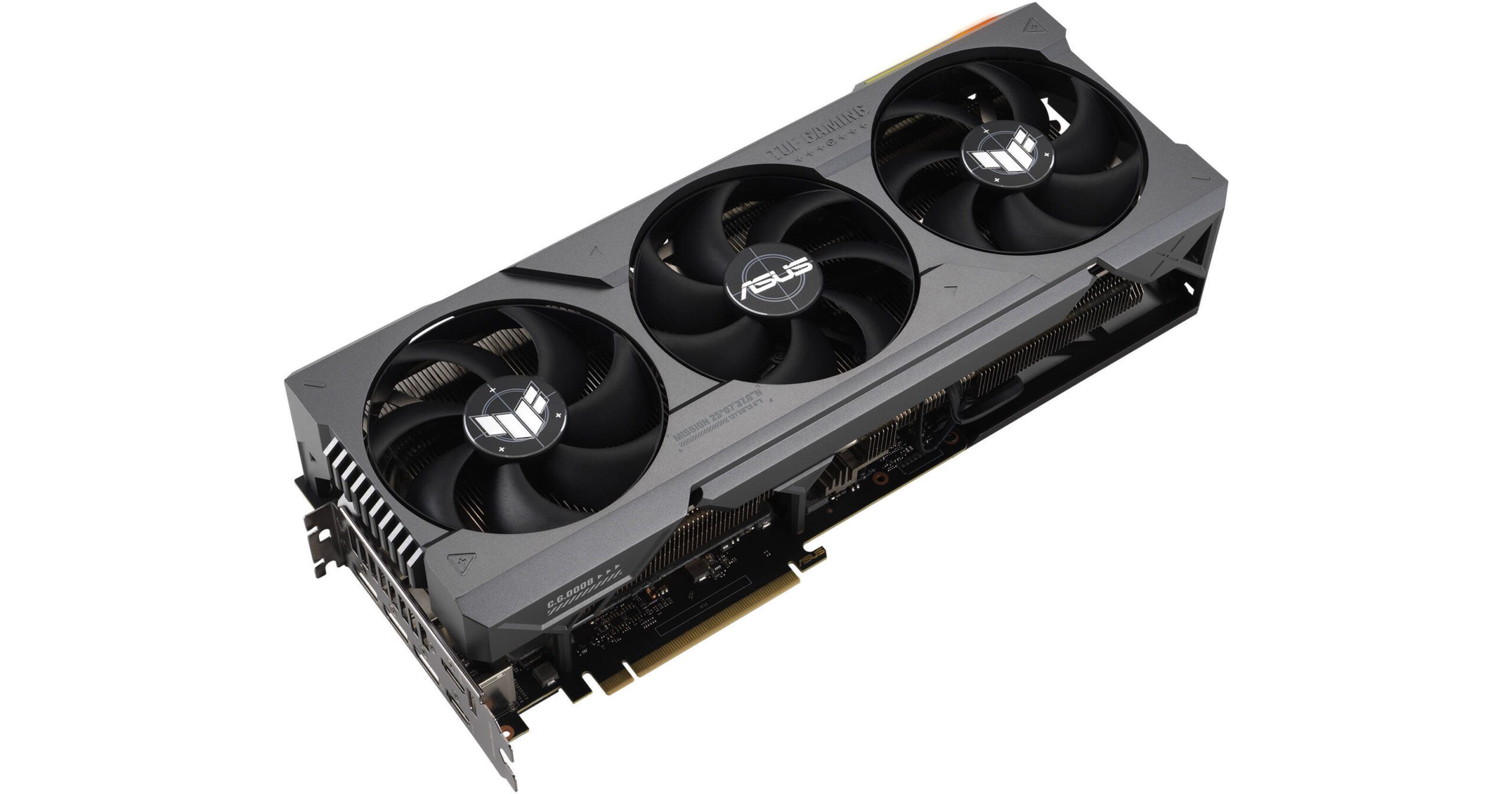
Why Bigger Models Break Consumer GPUs
The math is straightforward, but the implications are brutal.
A 70B parameter model at full FP16 precision requires approximately 140GB of memory just to hold the weights. Even at aggressive 4-bit quantization (GPTQ or AWQ), you’re looking at roughly 35–40GB. That’s already 50% beyond what a single RTX 4090 can address.
The standard workaround is multi-GPU setups. Two 4090s give you 48GB of VRAM, which technically fits a heavily quantized 70B model. But “fits” is doing a lot of heavy lifting in that sentence. Loading model weights into VRAM is only the beginning of what inference actually requires.
There’s the KV cache, attention computation overhead, intermediate activation tensors, and any batch processing state. Once you account for all of that, a 48GB dual-GPU rig running a 4-bit 70B model has almost zero headroom. You can run it, but you can’t actually use it for anything demanding.
And multi-GPU introduces its own tax. Unless you’re using NVLink (which consumer cards don’t support natively), tensor parallelism across PCIe lanes adds latency to every forward pass. You’re splitting the model across devices that communicate through a bus that was designed for graphics rendering, not the all-to-all communication patterns that transformer inference demands. Real-world throughput on dual-4090 setups frequently disappoints engineers who expected near-linear scaling.
Then there’s the quantization trade-off itself. A 4-bit 70B model is not the same model as a full-precision 70B model. For many use cases — structured reasoning, code generation, nuanced instruction following — the quality degradation from aggressive quantization is measurable and meaningful. You’re paying $3,200+ for two GPUs to run a compromised version of a model, and you’re still memory-constrained doing it.
The NVIDIA DGX Spark: An Honest Technical Guide for AI Builders
The Hidden Cost of Context Length
This is where most developers get genuinely surprised.
Context length isn’t free. Every token in your context window consumes memory through the key-value (KV) cache, and that memory consumption scales linearly with both the sequence length and the number of attention layers. For a 70B-class model with 80 layers and grouped-query attention, the KV cache at 32k context in FP16 requires roughly 10–20GB of memory on top of the model weights.
Push to 64k context? You’ve just doubled that overhead. At 128k context — which is increasingly the baseline expectation for retrieval-augmented generation (RAG) pipelines, long-document processing, and agentic workflows — the KV cache alone can consume 40GB or more.
This means that even if you could somehow fit a 70B model’s weights into 24GB of VRAM (you can’t, but hypothetically), you’d have no room left for the context window that makes the model useful. The model sits there, loaded and ready, unable to process anything beyond trivially short prompts.
Context window limitations cascade into architectural constraints. If your application requires processing legal documents, codebases, research papers, or long conversation histories, you’re forced into chunking strategies that introduce retrieval errors, lose cross-document reasoning, and add pipeline complexity. The workarounds for insufficient context are expensive in engineering time and quality.
Techniques like Flash Attention, paged attention (vLLM), and sliding window approaches help with computational efficiency, but they don’t eliminate the fundamental memory requirement. The KV cache data has to live somewhere. If that somewhere is limited to 24GB, your context window has a hard ceiling that no software optimization can fully overcome.
Why Cloud Isn’t Always the Answer
The reflexive response to local hardware limitations is “just use the cloud.” Spin up an A100 or H100 instance, run your inference, shut it down. Simple.
Except it’s not, for several reasons that compound over time.
Cost at scale is punishing. A single A100-80GB instance on major cloud providers runs $2–4 per hour. If you’re running inference for a product — even a modest one serving hundreds of requests per day — those costs accumulate into thousands of dollars monthly. For startups iterating on AI-native products, cloud GPU costs can become the dominant line item in their burn rate before they’ve found product-market fit.
Fine-tuning is worse. Full fine-tuning a 70B model requires multiple A100s or H100s for hours or days. Even parameter-efficient methods like LoRA on large models demand sustained GPU access that translates to substantial cloud bills. Iterative experimentation — the kind that actually produces good fine-tuned models — means running these jobs repeatedly.
Latency and availability are real constraints. Cloud GPU instances aren’t always available when you need them. H100 spot instances get preempted. Reserved capacity requires long-term commitments. And for latency-sensitive applications, the round-trip to a cloud data center adds milliseconds that matter for interactive use cases.
Data sovereignty is non-negotiable for some. If you’re building AI systems for healthcare, legal, financial, or defense applications, sending proprietary data or sensitive documents to cloud inference endpoints may be architecturally unacceptable. Compliance frameworks like HIPAA, SOC 2, and various data residency regulations don’t care that your cloud provider promises encryption at rest. Some data simply cannot leave your physical premises.
Dependency risk is strategic. Building a product whose core inference pipeline depends on cloud GPU availability and pricing means your margins, your uptime, and your roadmap are partially controlled by your infrastructure provider. For technical founders thinking in terms of years, not quarters, that’s a structural vulnerability worth taking seriously.
Cloud GPUs are excellent for burst workloads, experimentation, and scale-out. But for sustained, private, cost-controlled AI inference — especially when models are large and context windows are long — the economics and the constraints push teams toward owning their own capable hardware.
The Rise of the Personal AI Supercomputer
Something interesting has been happening in the AI hardware market, quietly, while most attention focuses on data center GPUs and cloud pricing wars.
A new category of hardware is emerging: purpose-built AI workstations designed from the ground up for local large-model inference, fine-tuning, and multi-model pipelines. Not gaming GPUs repurposed for AI. Not rack-mount servers that require dedicated cooling and 240V circuits. Compact, desk-friendly systems with one defining characteristic that changes the calculus entirely: very large unified memory pools.
Unified memory — where the CPU and GPU share a single, large, high-bandwidth memory space — eliminates the VRAM bottleneck by removing the concept of VRAM as a separate, limited resource. Instead of 24GB of GPU memory walled off from 64GB of system RAM, you get 100GB, 200GB, or more of memory that the entire compute pipeline can address without data transfer penalties.
This architectural difference is transformative for local AI workloads. A 70B model at full FP16 precision fits comfortably in a 192GB unified memory space. The KV cache for 128k context windows has room to grow. And you can run the model, the embedding model, the reranker, and the vector database simultaneously without the constant memory juggling that multi-GPU PCIe setups require.
The power profile of these systems matters too. A dual-4090 tower draws 900W+ under load, requiring robust power delivery and cooling infrastructure. Purpose-built AI workstations built on efficient silicon architectures often deliver competitive inference throughput at a fraction of the power draw — sometimes under 200W for the entire system. That’s not just an electricity bill difference; it’s the difference between a system that sits quietly on a desk and one that needs its own ventilation plan.
What to Look for in a Serious Local AI Workstation
If you’re evaluating hardware for local AI work that goes beyond hobbyist experimentation, the specifications that actually matter are different from what conventional GPU benchmarks emphasize.
Unified memory capacity (100GB+ minimum). This is the single most important specification. It determines the largest model you can run, the longest context window you can support, and how many concurrent models you can keep loaded. For 70B-class models with meaningful context windows, 128GB is a practical floor. 192GB or higher gives you room for multi-model pipelines and future model growth.
Memory bandwidth. Throughput for autoregressive transformer inference is overwhelmingly memory-bandwidth-bound. The speed at which weights can be read from memory determines your tokens-per-second. Look for memory bandwidth in the 400+ GB/s range as a baseline for responsive inference with large models.
Compute architecture optimized for transformer operations. Matrix multiplication throughput matters, but it matters less than memory bandwidth for inference-dominant workloads. Systems with efficient neural engine or matrix acceleration hardware can deliver strong inference performance even if their raw FLOPS numbers look modest compared to an H100.
Power and thermal envelope. A system you can run 24/7 on a desk without dedicated cooling infrastructure has fundamentally different operational characteristics than one that requires a server room. Power efficiency directly affects whether you can run sustained workloads — overnight fine-tuning jobs, continuous inference serving, always-on RAG pipelines — without operational overhead.
Software ecosystem compatibility. The hardware is only as useful as the software stack that runs on it. Compatibility with standard inference frameworks (llama.cpp, vLLM, Ollama, MLX), fine-tuning tools (Hugging Face, Axolotl), and orchestration layers (LangChain, LlamaIndex) determines whether you can actually use the hardware with your existing workflows or whether you’re fighting driver issues and compatibility gaps.
Expandability and I/O. Fast local storage (NVMe) for model weights and datasets. Sufficient networking for serving inference to local clients. Thunderbolt or high-speed interconnects for peripherals. The system should function as a self-contained AI development environment.
Who Actually Needs This (And Who Doesn’t)
Not everyone needs to own AI workstation hardware, and being honest about that is important.
You probably need dedicated local AI hardware if:
You’re building AI-native products and cloud inference costs are becoming a significant portion of your operating expenses. You’re a startup founder who needs to iterate on large models quickly without watching a cloud billing dashboard. You’re working with sensitive data that can’t leave your premises — medical records, legal documents, financial data, proprietary codebases. You’re running multi-model pipelines where the overhead of coordinating separate GPU instances creates engineering complexity. You’re fine-tuning large models regularly and the cloud cost per experiment is limiting your iteration speed. You’re an AI researcher or developer who needs fast, unrestricted access to large model inference without rate limits or API quotas.
You probably don’t need this if:
You’re working primarily with models under 13B parameters — a single 24GB GPU handles these workloads well, and quantized 7B models run comfortably on much less. Your workloads are bursty and infrequent, making on-demand cloud instances more cost-effective than owned hardware. You’re using commercial APIs (OpenAI, Anthropic, Google) and the cost, latency, and privacy characteristics meet your requirements. You’re early in your AI journey and still determining what models and architectures your use case requires. Optimizing hardware before you’ve validated your approach is premature.
The honest answer is that this category of hardware sits at the intersection of “too demanding for consumer GPUs” and “too costly or constrained to run exclusively in the cloud.” It’s a specific but growing niche, and the developers who occupy it feel the pain acutely because they’re caught between two inadequate options.
Strategic Conclusion
The AI hardware landscape is bifurcating. On one end, hyperscalers are building ever-larger GPU clusters for training frontier models. On the other, consumer GPUs continue to serve the hobbyist and light-experimentation market well. But in the middle — where production-grade local inference, privacy-preserving AI systems, and cost-controlled AI products live — there’s been a hardware gap.
That gap is closing. The emergence of compact, high-memory, AI-optimized workstations represents a genuine architectural shift for developers and founders who take local AI infrastructure seriously. When a desk-sized system can hold a full-precision 70B model in memory, support 128k context windows, run multi-model pipelines concurrently, and do it all at under 200W — the calculus around build-vs-rent changes substantially.
If you’ve been fighting the 24GB ceiling — patching together multi-GPU rigs, over-quantizing models to make them fit, truncating context windows, or reluctantly shipping data to cloud endpoints — it’s worth knowing that the hardware category you’ve been waiting for is materializing.
The next step isn’t to buy anything impulsively. It’s to clearly define your inference requirements: model size, context length, concurrency, privacy constraints, and power budget. Map those requirements against unified memory architectures and do the math on total cost of ownership versus your current cloud spend or multi-GPU setup.
For a growing number of serious AI builders, the answer to “how do I run 70B+ models locally without compromise” is no longer “you can’t.” It’s a category of hardware that didn’t exist two years ago — and it’s exactly what the local AI ecosystem has been missing.
The NVIDIA DGX Spark: An Honest Technical Guide for AI Builders
Download Your FREE
Dev Stack Starter Guide
Build, automate, and launch faster—see the automation stack developers and agencies are switching to.
- ✅ API Templates & Code Snippets
- ✅ Done-for-You Automation Workflows
- ✅ Step-by-Step Funnel & CRM Guide
- ✅ Free for Developers, Freelancers, & SaaS Builders