How to Combine a DGX Spark and Mac Studio Into One Fast AI Inference Machine (And Why It Works)
There’s a setup quietly circulating in AI developer circles that sounds almost too good to be true: take an NVIDIA DGX Spark ($3,999), wire it to an Apple Mac Studio ($5,599), and get nearly 3× the inference speed you’d get from either machine alone.
It’s real. EXO Labs demonstrated it. The benchmarks hold up. And the underlying principle — called disaggregated inference — is the same architecture NVIDIA is building into its next-generation data center hardware.
This post explains exactly why this works, what you need, how compatible it is with hardware you might already own, and how to think about whether it’s worth pursuing for your own local AI setup.
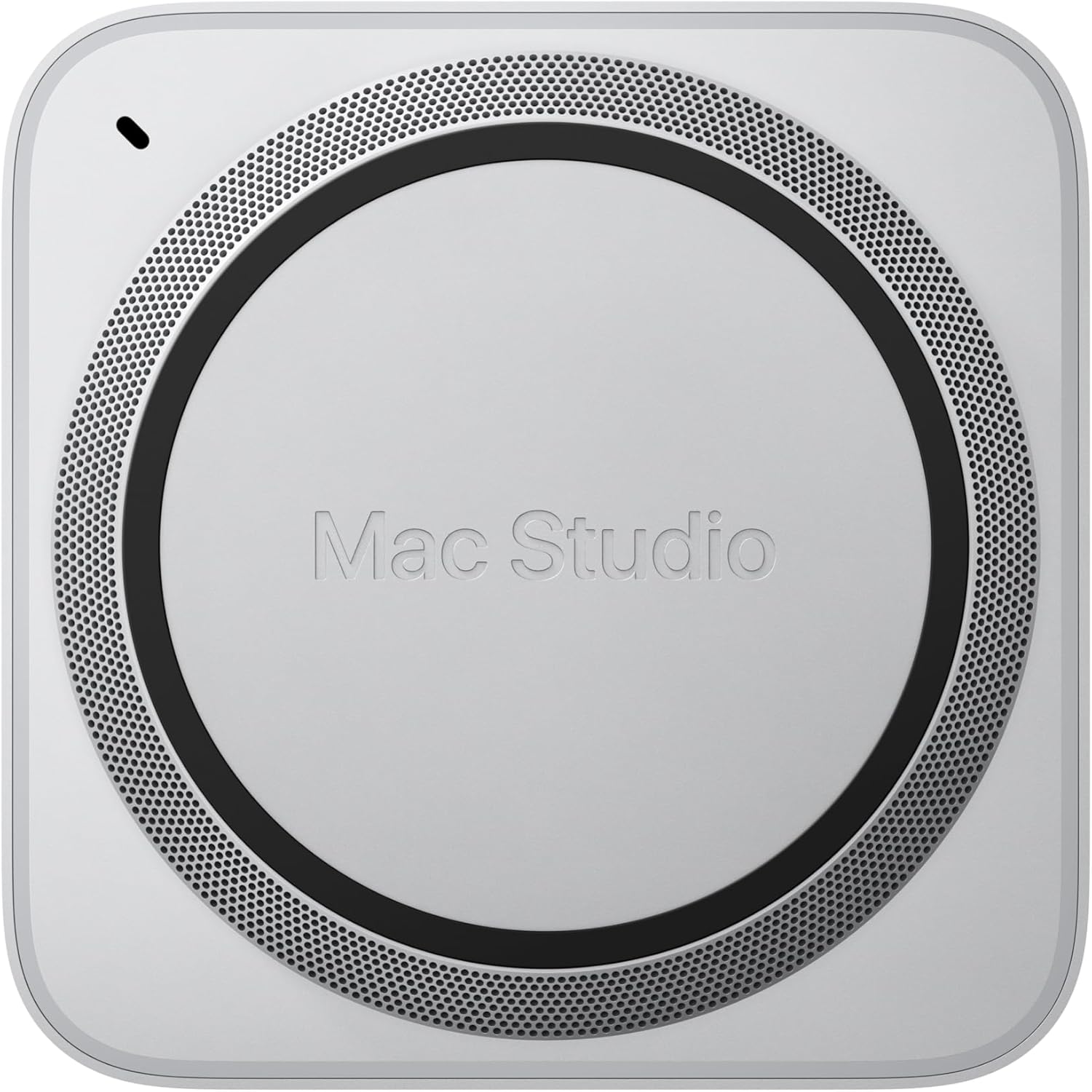
The Core Idea: Each Machine Is Good at a Different Thing
Every time you send a prompt to a large language model, two very different phases happen under the hood.
Phase 1 — Prefill. The model reads your entire prompt and builds an internal state called the KV cache. This phase is compute-heavy. It involves massive matrix multiplications across every transformer layer. The longer your prompt, the more compute it demands — it scales quadratically with token count. What matters here is raw GPU compute power (FLOPS).
Phase 2 — Decode. The model generates tokens one at a time. Each new token needs to read the entire KV cache to figure out what comes next. This phase is memory-bandwidth-heavy. There’s less math, but the model needs to shuttle large amounts of data from memory to the GPU constantly. What matters here is memory bandwidth (GB/s).
Here’s the thing: the DGX Spark and the Mac Studio are almost perfectly mismatched in these two dimensions.
| DGX Spark | Mac Studio M3 Ultra | |
|---|---|---|
| FP16 Compute | ~100 TFLOPS | ~26 TFLOPS |
| Memory Bandwidth | 273 GB/s | 819 GB/s |
| Unified Memory | 128 GB | Up to 512 GB |
| Price | $3,999 | ~$5,599 (256GB config) |
The Spark has 4× the compute but only one-third the memory bandwidth of the Mac Studio. The Mac Studio has 3× the bandwidth but only one-quarter the compute.
So what if you ran prefill on the Spark (where compute matters) and decode on the Mac Studio (where bandwidth matters)?
That’s exactly what disaggregated inference does. And it’s exactly what EXO automates.
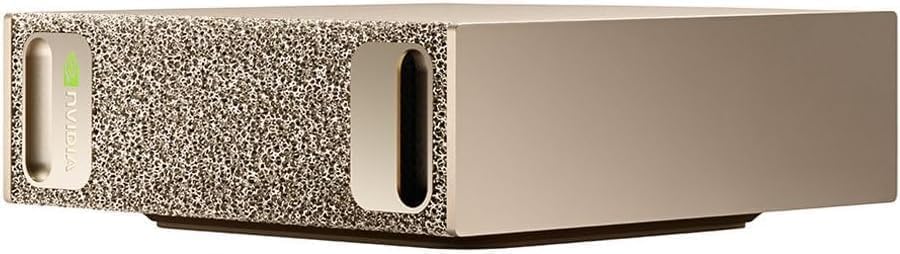
The Benchmark That Proves It
EXO Labs ran Llama 3.1 8B (FP16) with an 8,192-token prompt, generating 32 output tokens. Here are the results:
| Setup | Prefill Time | Decode Time | Total Time | Speedup |
|---|---|---|---|---|
| DGX Spark alone | 1.47s | 2.87s | 4.34s | 1.9× |
| Mac Studio M3 Ultra alone | 5.57s | 0.85s | 6.42s | 1.0× (baseline) |
| Spark + Mac Studio (EXO) | 1.47s | 0.85s | 2.32s | 2.8× |
The hybrid setup takes the best number from each column. The Spark’s prefill speed (3.8× faster than the Mac) combined with the Mac’s decode speed (3.4× faster than the Spark) delivers a combined result that’s 2.8× faster than the Mac alone and 1.9× faster than the Spark alone.
Neither machine can achieve this on its own. The combination is genuinely greater than the sum of its parts.
Click Here To Learn More About DGX Spark
How the KV Cache Transfer Actually Works
The obvious question: doesn’t sending the KV cache from one machine to the other add a huge delay?
It would, if you did it the naive way — finish all prefill, transfer the entire KV cache as one blob, then start decode. For a large model, that transfer could take seconds.
EXO solves this by streaming the KV cache layer by layer, overlapping the transfer with ongoing computation. Here’s the sequence:
- The Spark completes prefill for Layer 1
- Simultaneously: Layer 1’s KV cache starts streaming to the Mac Studio AND the Spark begins prefill for Layer 2
- By the time all layers are done, most of the KV cache has already arrived at the Mac Studio
- Decode begins immediately on the Mac Studio
The math works out because prefill computation per layer (which scales quadratically with prompt length) takes longer than KV transfer per layer (which scales linearly). For models with grouped-query attention (GQA) like Llama 3 8B and 70B, full overlap is achievable with prompts as short as 5,000–10,000 tokens over a 10GbE connection. With older multi-head attention models, you need longer prompts (~40k+ tokens) for the overlap to fully hide the network latency.
In practical terms: if you’re processing documents, codebases, or long conversation histories — the exact workloads where you’d want large models — the overlap works in your favor.
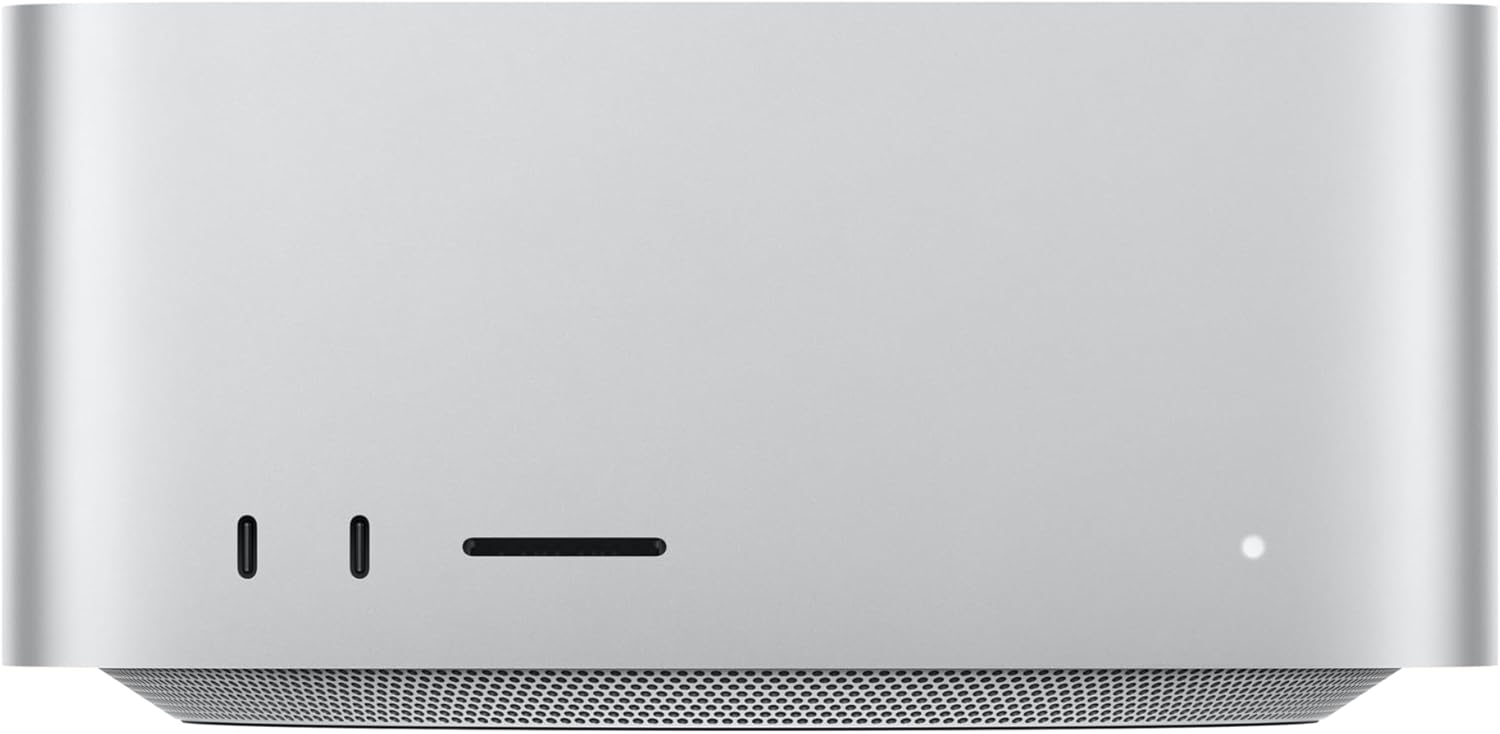
What You Need to Build This
The Hardware
Minimum viable setup:
- 1× NVIDIA DGX Spark (any variant — Founders Edition, ASUS Ascent GX10, Dell Pro Max GB10, MSI EdgeXpert)
- 1× Apple Mac Studio with M3 Ultra (or any Apple Silicon Mac with substantial unified memory)
- 1× 10GbE Ethernet connection between the two machines
About the network connection: Both the DGX Spark and the Mac Studio M3 Ultra have 10GbE Ethernet ports built in. You just need a Cat6a or Cat7 Ethernet cable between them — either direct (point-to-point) or through a 10GbE switch. No special networking hardware beyond what’s already in the boxes. The Spark also has its ConnectX-7 200GbE QSFP ports, but the EXO setup uses standard 10GbE, which both machines support natively.
Expanded setup (what EXO Labs tested):
- 2× DGX Sparks (connected together via ConnectX-7 for additional compute)
- 1× Mac Studio M3 Ultra (256GB unified memory)
- 10GbE network between all devices
The Software: EXO
EXO is an open-source framework from EXO Labs that turns any collection of devices into a cooperative AI inference cluster. It handles device discovery, model partitioning, KV cache streaming, and phase placement automatically.
Key facts about EXO:
- Open source: github.com/exo-explore/exo
- Supports NVIDIA GPUs (CUDA), Apple Silicon (MLX), and even CPUs
- Automatic device discovery — devices on the same network find each other without manual configuration
- ChatGPT-compatible API — your existing code that calls OpenAI-style endpoints works with a one-line URL change
- Built-in web dashboard for model management and chat
- Peer-to-peer architecture — no master/worker hierarchy
Current status (important caveat): The disaggregated inference features shown in the DGX Spark + Mac Studio demo are part of EXO 1.0. As of late 2025, EXO’s public open-source release (0.0.15-alpha) supports basic model sharding and multi-device inference, but the full automated prefill/decode splitting with layer-by-layer KV streaming is a newer capability. Check the GitHub repo for the latest release status.
Installation
On the Mac Studio (macOS):
# EXO can be installed via Homebrew or from source
brew install exo

# Or from source:
git clone https://github.com/exo-explore/exo.git
cd exo
pip install -e .

# Optimize Apple Silicon GPU memory allocation
./configure_mlx.sh
On the DGX Spark (DGX OS / Ubuntu):
git clone https://github.com/exo-explore/exo.git
cd exo
pip install -e .
Then, on both machines:
exo
That’s it. EXO discovers the other device automatically, profiles each device’s compute and bandwidth capabilities, and determines the optimal way to split the workload. A web dashboard launches at http://localhost:52415 where you can download models and start chatting.
Compatibility: What Hardware Can You Actually Use?
This is the question most people have. Let’s break it down.
Do you already own a Mac Studio, MacBook Pro, or Mac Mini?
Yes, you can use it. EXO supports any Apple Silicon device — M1 through M4 Ultra. The benefit scales with your memory configuration:
- Mac Mini M4 Pro (24GB): Useful for small models. Limited as a decode node for large models.
- MacBook Pro M4 Max (64–128GB): Solid decode node. Good bandwidth (~546 GB/s on M4 Max).
- Mac Studio M3/M4 Ultra (192–512GB): Ideal decode node. Highest bandwidth in the Apple lineup (~819 GB/s on M3 Ultra).
The key metric is memory bandwidth. The more bandwidth your Mac has, the faster it handles the decode phase.
Do you need specifically a DGX Spark for the compute node?
No, but it’s the best fit. The DGX Spark’s advantage is its Blackwell Tensor Cores with FP4 support, which deliver exceptional prefill throughput for its power envelope. But EXO supports any NVIDIA GPU with CUDA. In principle:
- A desktop with an RTX 4090 or 5090 could serve as the prefill node
- A Linux machine with any CUDA-capable GPU can participate
- The benefit is proportional to the GPU’s compute throughput
The Spark’s specific advantage is that it has high compute AND 128GB of unified memory, meaning it can prefill large models without running out of VRAM — something a 24GB RTX 4090 can’t do for 70B models.
What about networking?
- 10GbE (recommended minimum): Both the DGX Spark and Mac Studio have built-in 10GbE. This provides enough bandwidth for layer-by-layer KV streaming on most models with prompts over ~5k tokens.
- Thunderbolt 5 with RDMA: EXO now supports RDMA over Thunderbolt 5 on compatible Macs (M4 Pro Mac Mini, M4 Max Mac Studio, M4 Max MacBook Pro, M3 Ultra Mac Studio). This reduces inter-device latency by 99% compared to TCP/IP networking. Requires matching macOS versions on all devices.
- Standard 1GbE: Works for basic model sharding but will bottleneck KV streaming for the disaggregated inference setup. Not recommended for the Spark + Mac hybrid workflow.
- Wi-Fi: EXO supports it for device discovery and basic inference, but the bandwidth is too low for competitive disaggregated inference speeds.
Can you use this with models other than Llama?
Yes. EXO supports LLaMA, Mistral, Qwen, DeepSeek, LLaVA, and others. The disaggregated inference benefit applies to any transformer-based model, though the specific crossover point (where KV transfer overlaps fully with compute) depends on the model’s attention architecture. Models with grouped-query attention (GQA) — which includes most modern large models — benefit at shorter prompt lengths.
Who This Setup Is Actually For
Developers and researchers who already own both an NVIDIA GPU system and an Apple Silicon Mac. If you already have a Mac Studio for daily work and you’re considering a DGX Spark for CUDA development, the hybrid cluster is a compelling bonus. Instead of choosing between them, you use both together.
Teams running RAG pipelines with long context. The disaggregated approach shines with long input prompts (5k+ tokens). If your workflow involves ingesting documents, codebases, or knowledge bases before generating responses, the Spark handles that ingestion phase at maximum speed while the Mac generates the actual output at maximum bandwidth.
Anyone frustrated by the “compute vs. bandwidth” trade-off. Every current AI device forces a compromise. High-end NVIDIA GPUs have incredible compute but limited VRAM. Apple Silicon has massive bandwidth but modest compute. The hybrid cluster sidesteps this trade-off entirely by using each device for the phase it’s optimized for.
Who this is probably NOT for
Casual users running 7B models. If your models fit comfortably on a single device and generate tokens fast enough for your needs, the complexity of a multi-device setup isn’t worth it.
Anyone expecting plug-and-play simplicity today. EXO is actively evolving. The basic multi-device inference works well. The advanced disaggregated scheduling is newer. Expect some configuration and troubleshooting, particularly around network optimization and model compatibility.
Budget-constrained buyers. A DGX Spark ($4,000) plus a Mac Studio M3 Ultra ($5,600) is a $9,600+ investment. If cost is the primary concern, you’d get more raw tokens-per-dollar from a multi-GPU desktop build (though you’d lose the disaggregated inference benefit and the Apple development experience).
Click Here To Learn More About DGX Spark
The Bigger Picture: Why This Matters
This isn’t just a clever hack. Disaggregated inference — separating prefill and decode onto different hardware — is the same architectural principle NVIDIA is building into its next-generation data center platforms. NVIDIA’s upcoming Rubin CPX architecture will use compute-dense processors for prefill and bandwidth-optimized chips for decode, exactly mirroring what EXO demonstrates with off-the-shelf hardware today.
The implications are significant:
Your hardware doesn’t have to be one brand. The DGX Spark runs CUDA on ARM Linux. The Mac Studio runs MLX on macOS. They speak to each other over standard Ethernet. The idea that your AI infrastructure has to be homogeneous is simply not true anymore.
Adding devices makes the system faster, not just bigger. Traditional multi-GPU setups often suffer from coordination overhead. Disaggregated inference is different — each device does what it’s best at, and the pipeline is additive rather than averaging.
This is early. EXO is experimental. The software is evolving rapidly. But the principle is sound, the benchmarks are real, and the trend in AI hardware is clearly moving toward heterogeneous, disaggregated architectures.
If you have a DGX Spark and a Mac Studio sitting on the same desk — or if you’re considering buying one to complement the other — it’s worth an afternoon of experimentation. The 2.8× speedup isn’t theoretical. It’s waiting for you on the other end of a 10GbE cable.
Quick Reference: What to Buy, What to Know
| Component | Recommendation | Why |
|---|---|---|
| Compute node | DGX Spark (any OEM variant) | Best prefill throughput per watt; 128GB handles large models |
| Bandwidth node | Mac Studio M3 Ultra 256GB+ | Highest memory bandwidth available in desktop form factor |
| Network | 10GbE Ethernet (built into both devices) | Sufficient for KV streaming; zero additional hardware cost |
| Software | EXO (github.com/exo-explore/exo) | Handles discovery, partitioning, and KV streaming automatically |
| Upgrade path | Thunderbolt 5 RDMA (if supported) | 99% latency reduction for Mac-to-Mac or Mac-to-Spark links |
| Models | GQA-based (Llama 3, Qwen 2.5, DeepSeek) | Better overlap efficiency at shorter prompt lengths |
| Sweet spot | Prompts 5k–128k tokens, 70B+ models | Where disaggregated inference provides the most dramatic gains |
Click Here To Learn More About DGX Spark
Download Your FREE
Dev Stack Starter Guide
Build, automate, and launch faster—see the automation stack developers and agencies are switching to.
- ✅ API Templates & Code Snippets
- ✅ Done-for-You Automation Workflows
- ✅ Step-by-Step Funnel & CRM Guide
- ✅ Free for Developers, Freelancers, & SaaS Builders