How to Set Up a Meta Conversions API (CAPI) Backend Server
This page is a hands-on reference for developers, technical marketers, and operators who want to implement Meta’s Conversions API (CAPI) using a custom backend server, and for those who are interested in a paid solution that handles all the setup and who guarantees it’ll work & save you ad spend to boot!
If you’ve hit the limits of browser-based tracking, heard that “CAPI fixes attribution,” and then opened Meta’s documentation only to realize it’s more involved than expected — this guide is for you.
Want CAPI Now? Click here for an instant solution
Who This Page Is For
This guide is written for three types of people:
- Builders who want to understand how CAPI works with build instructions below…
- Operators who need reliable attribution but don’t want silent failures
- Decision-makers evaluating whether building this in-house is worth it
You’ll leave with:
- A clear mental model of CAPI
- An honest picture of what a backend setup requires
- A framework for deciding whether to build or use a managed system
What Is Meta CAPI?
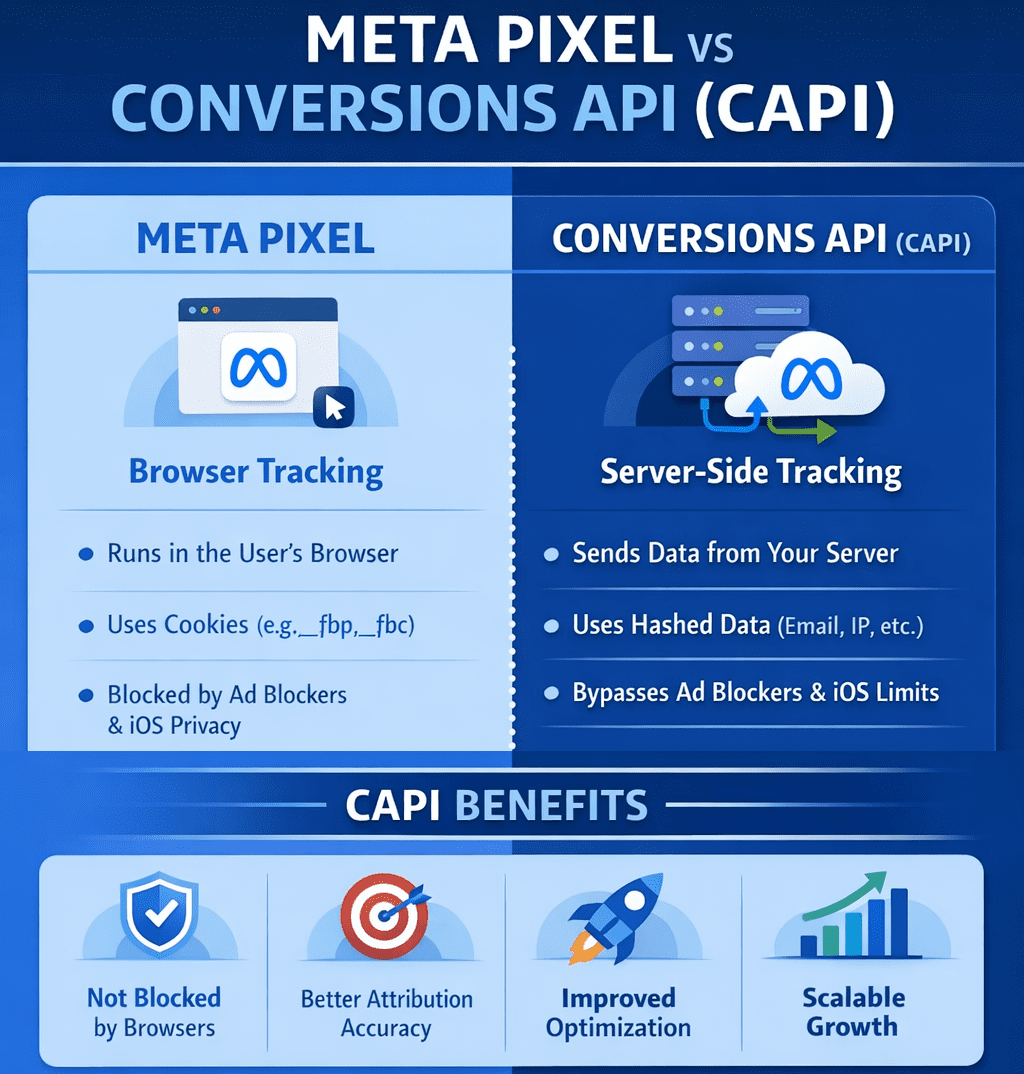
Meta Conversions API (CAPI) is a server-to-server event ingestion system provided by Meta Platforms.
Instead of relying solely on browser scripts (the Meta Pixel), your backend sends confirmed events — purchases, leads, registrations, and other business outcomes — directly to Meta’s servers.
This is especially true as browsers and operating systems continue to restrict third-party cookies, limit cross-site tracking, and obscure device-level identifiers, browser-only tracking has become increasingly unreliable.
It also means that the pixel data is under-reporting which can really mess with your ad numbers!
Users now move across multiple devices, networks, and IP addresses before converting, while privacy features routinely block or expire client-side identifiers. Meta’s Conversions API exists to compensate for this signal loss by allowing verified events to be sent directly from your backend, where first-party data, stable identifiers, and server-side context can be applied consistently.
CAPI doesn’t bypass privacy controls — it restores continuity using first-party data in an environment where the browser alone can no longer be trusted to carry attribution reliably.
That means…
- Better optimization signals
- Better audience targeting over time
- More efficient budget allocation
- Faster learning and stabilization
- Greater confidence in scaling decisions
The kicker that most people don’t realize is that you might turn off an ad that is “under-performing,” but when you can capture better data, it turns out to be profitable!
Best practice is Pixel + CAPI together:
- Pixel captures client-side context
- CAPI confirms events server-side
Why People Move Beyond Pixel-Only Tracking
Pixel-only setups increasingly break due to:
- Ad blockers
- Browser privacy features
- iOS tracking restrictions
- Cookie expiration
- Cross-device behavior
CAPI exists to restore signal integrity, not to bypass privacy rules.
Click for CAPI on steroids
Architecture Options for Meta CAPI
Before building your CAPI server, just know that there are more robust options out there that provide reliable attribution and the biggest driver between choosing how you implement this is entirely up to you. But if you’re spending more than $2K in ad spend per month you might consider a managed platform as they provide a much denser set of data back to Meta for better attribution where they use AI on the backend to tie things together like IP addresses, device IDs, and will build a database of users over time that improves with each new touchpoint it captures.
Option B below has the step-by-step instructions to building your own custom backend server.
Option A: Use a Managed Attribution Platform
This really only applies for advertisers who are already investing heavily in ads—often tens of thousands per month or more—where even small inaccuracies in attribution materially affect budget allocation, scaling decisions, and profitability.
They provide
- Server-side event ingestion and normalization
- Identity resolution across browsers, devices, and sessions
- Pixel and Conversions API deduplication
- Ongoing API changes and platform updates
- Retry logic, failure handling, and monitoring
- Cross-platform attribution consistency
CAPI isn’t enough. Hyros is.
The primary advantage is reliability and focus. Attribution is treated as a continuously maintained system rather than a one-time implementation that quietly degrades.
Option B: Build a Custom Backend CAPI Server (Maximum Control)
This is likely where you fall in; you might be running WordPress or another type of site where conversion data is difficult to capture.
This guide walks you through installing the Meta CAPI Collector on a DigitalOcean server.
No prior server setup required. Follow each step in order.
⏱️ Time required: ~90 minutes
What This App Does
This application acts as a server-side bridge between your website and Meta (Facebook).
Instead of relying only on browser tracking, it:
- Receives events from your site (purchases, leads, sign-ups)
- Sends them securely to Meta’s Conversions API
- Improves attribution reliability
What You’ll Need Before Starting
Make sure you have:
- A DigitalOcean account
- A new Ubuntu server (droplet)
- Your Meta Pixel ID or Dataset ID
- Your Meta API Access Token
- A computer with terminal access (Mac, Linux, or Windows)
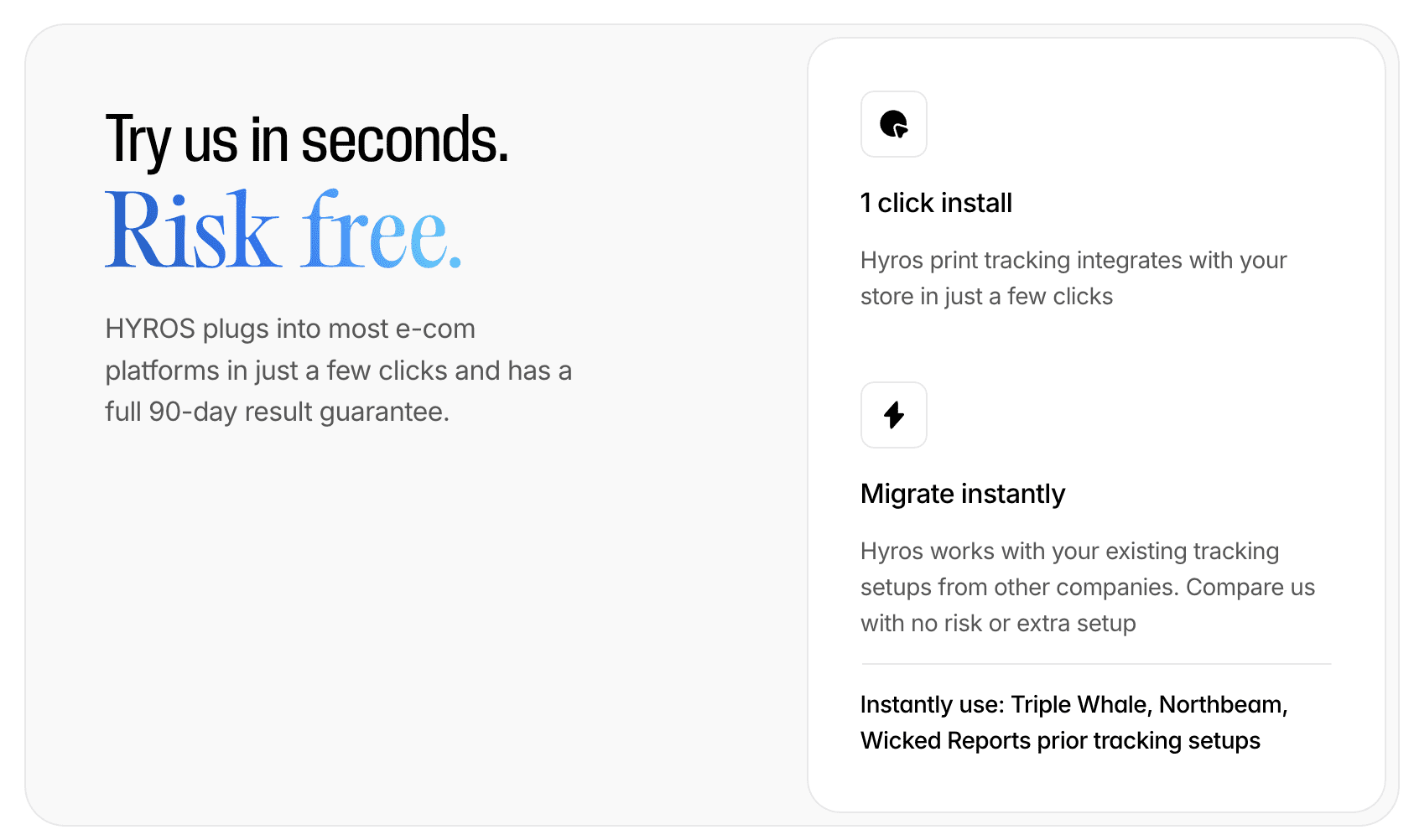
Try Hyros Risk Free – Guaranteed to Work
Step 1: Get Your Meta Credentials
You’ll need two things from Meta:
- Pixel ID (or Dataset ID)
- API Access Token
Step 1A: Find Your Pixel ID or Dataset ID
- Go to Meta Business Suite
- Log in
- Open the menu (☰) → Data Sources
- Select your Pixel or Dataset
- Copy the ID number
- Save it somewhere safe
Example:
Step 1B: Generate a Meta API Access Token
- In Meta Business Suite, open Settings
- Go to Users → System Users
- Create a new System User if you don’t have one
- Select the System User
- Click Generate Token
- Grant these permissions:
ads_managementbusiness_management- Copy the generated token
⚠️ Important:
You will not be able to view this token again. Save it immediately.
Step 2: Create a DigitalOcean Server
- Log in to DigitalOcean
- Click Create → Droplets
- Choose the following options:
- Image: Ubuntu 22.04
- Region: Closest to you
- Size: $6/month plan (sufficient)
- Click Create Droplet
- Wait 1–2 minutes for provisioning
- Copy the public IP address of the server
Step 3: Connect to the Server
On macOS or Linux
- Open Terminal
- Run (replace with your server IP):
ssh root@123.45.67.89
- Type
yesif prompted - You are now connected
- On Windows (PuTTY)
- Download PuTTY
- Open PuTTY
- Enter your server IP in Host Name
- Click Open
- Log in as
root
Get VIP Insight Into Your Ad Data
Step 4: Install the Application
- Once connected to the server, copy and paste the entire block below and press Enter:
-
set -e
apt update && apt upgrade -y
curl -fsSL https://get.docker.com -o get-docker.sh
sh get-docker.sh
curl -L “https://github.com/docker/compose/releases/latest/download/docker-compose-$(uname -s)–$(uname -m)” \
-o /usr/local/bin/docker-compose
chmod +x /usr/local/bin/docker-compose
cd /root
git clone https://github.com/matt897/meta-capi-docker.git cd meta-capi-docker- 🔁 Replace:
- https://github.com/matt897/meta-capi-docker.git
- with your actual GitHub repository URL.
- Wait until the script finishes (2–3 minutes).
Step 5: Add Your Meta Credentials
- In the same terminal, run:
nano .env
- Find these lines:
META_PIXEL_ID=PUT_YOUR_PIXEL_OR_DATASET_ID_HERE

META_ACCESS_TOKEN=PUT_YOUR_CAPI_ACCESS_TOKEN_HERE
- Replace them with your real values
- Example:
META_PIXEL_ID=987654321

META_ACCESS_TOKEN=abc123xyz789def456
- Save and exit:
- Press Ctrl + O, then Enter
- Press Ctrl + X
Step 6: Start the Application
- Run:
docker-compose up -d
- Wait ~30 seconds.
- You should see containers created and started.
Step 7: Verify It’s Running
- Check logs:
docker-compose logs
- Look for:
Server running on http://0.0.0.0:3000
- If you see errors, copy them for troubleshooting.
Step 8: Get the Server URL
- Run:
hostname -I
- Copy the IP address.
- Your server is now live at:
http://YOUR_IP:3000
- Example:
http://192.168.1.100:3000
Step 9: Send Events to the Collector
- Your app listens on:
- POST
http://YOUR_IP:3000/collect
- Example Payload
{

"event_name": "Purchase",

"event_id": "order-123",

"event_source_url": "https://yourwebsite.com/thank-you",

"email": "customer@example.com",

"custom_data": {

"value": 99.99,

"currency": "USD"

}

}
Common Commands
- Stop the app:
docker-compose down
- Start it again:
docker-compose up -d
- Restart after changes:
docker-compose restart
Troubleshooting
Connection refused
- Wait 30 seconds
- Check logs
Permission denied
- Ensure you’re logged in as
root
Meta errors
- Verify credentials
- Restart containers
Want a Guaranteed Outcome?
Zero Risk, Improves Tracking, & Reduces Ad Spend
Book a Demonstration With Hyros
Option B: GTM Server-Side
- Useful if your team already operates heavily inside Google Tag Manager, but introduces additional cost and operational overhead.
Option C: Platform-Native Integrations
- Examples include Shopify’s built-in CAPI or plugin-based solutions. A lot of CRMs also have this built in either as a native setting or a plugin.
Pros
- Fast to enable
- Minimal engineering
Cons
- Limited visibility into what’s sent
- Hard to debug discrepancies
- Less control over identity and deduplication
What You’re Actually Building
A real CAPI backend is not just an API call.
At a minimum, it includes:
- Inbound event capture
Webhooks, app events, checkout confirmations, CRM changes - Normalization layer
Mapping internal events → Meta standard events - Enrichment layer
Hashed identifiers, click IDs, IP, user agent - Queue + retry system
Prevents data loss during downtime - Outbound sender
Meta Graph API calls with error handling - Observability
Logs, metrics, and alerting - This is infrastructure — not a snippet.
Minimum Event Set to Start With
Most implementations begin with:
PageViewViewContentLeadorCompleteRegistrationAddToCartInitiateCheckoutPurchase
Additional events should reflect real business outcomes, not vanity metrics.
Required Payload Fields (Common Failure Point)
Every CAPI event should include:
event_nameevent_timeevent_id(for deduplication)action_sourceevent_source_url(for web events)user_datacustom_data
Missing or inconsistent fields are the #1 reason CAPI events fail silently.
Identity, Match Quality, and Why It Matters
Meta doesn’t track people — it matches signals.
Match quality improves with:
fbpandfbc- Hashed email and phone
- IP address and user agent
- Stable external user IDs
Rules:
- Always hash server-side
- Never send raw PII
- Capture identifiers as early as possible
Better match quality = better optimization.
Deduplication: Pixel + CAPI Without Double Counting
Deduplication requires:
- Same
event_name - Same
event_id
Best practice:
Generate event_id client-side
Fire the Pixel event
Pass the same ID to your backend
Send the CAPI event using that ID
Your backend must treat events as idempotent.
Security, Privacy, and Compliance
A production CAPI server should:
- Never expose access tokens client-side
- Use environment variables or secret managers
- Validate inbound payloads
- Respect consent state
- Avoid unnecessary identifier retention
CAPI supports privacy-compliant tracking — it does not override consent laws.
Reliability: Where DIY Often Breaks
CAPI should never block checkout or lead flows.
Production-grade setups use:
- Async processing
- Queues (Redis, SQS, etc.)
- Retry with backoff
- Dead-letter queues
- Graceful failure handling
This is often where “it works” becomes “it works consistently.”
Testing & Debugging
- Use Meta Events Manager → Test Events
- Verify event receipt and deduplication
- Monitor match quality
- Compare Pixel vs CAPI trends (not exact counts)
Helpful additions:
- Debug mode payload logging (redacted)
- Event replay tools
- Per-event delivery dashboards
When Building Your Own CAPI Backend Makes Sense — and When It Doesn’t
Build Your Own If:
- You enjoy owning infrastructure
- You’re comfortable debugging attribution edge cases
- You can maintain this as Meta evolves APIs
- You only need Meta attribution
- You want full control and transparency
Consider a Managed System If:
- Revenue depends on attribution accuracy
- You don’t want silent tracking failures
- You need cross-platform attribution
- You want guaranteed updates and support
- You care more about outcomes than plumbing
Want a Guaranteed Outcome?
Zero Risk, Improves Tracking, & Reduces Ad Spend
Book a Demonstration With Hyros
A Note on Production-Grade Attribution Systems
Everything described above is the baseline for reliable CAPI tracking.
Production attribution systems go further:
Multi-platform attribution
- Identity resolution across sessions and devices
- Ongoing API maintenance
- Monitoring and alerting
- Dedicated support when data discrepancies appear
If you want to see how this is implemented at scale, systems like HYROS exist to provide this infrastructure as a managed service.
For many teams, the decision eventually becomes:
“We can build this — but do we want to own it forever?”
If that question is coming up, it’s usually time to book a demo and evaluate whether managed attribution makes more sense.